There’s this handy little function in Houdini that seeds a value based on the name of the node, it’s called “opdigits()“.
A very simple scenario where you’d use this is if you have 10 boxes in a scene, and you want to cache them out with the naming scheme of:
“box_1”, “box_2”, “box_3”, “box_4”, “box_5”, “box_6” …
You can simply create one file node, and enter this as the file path:
“box_`opdigits(‘.’)`”
And since the file node is the first one of its kind created, it’ll by default have the name of “file1”. The opdigits() function will detect that the last digit in this name and append it to the file path, resulting in:
“box_1”
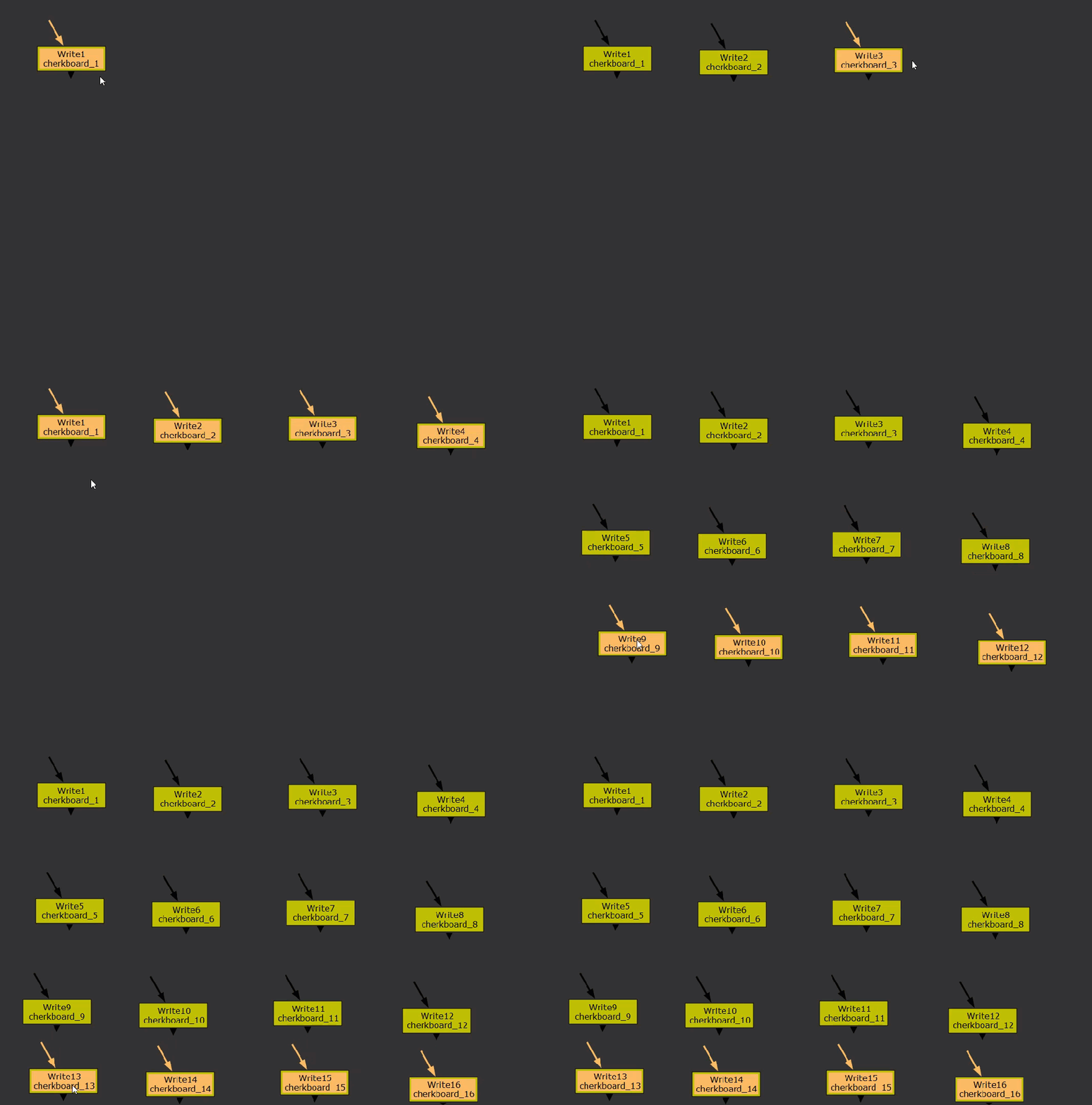
As we copy and paste nodes in Houdini, their digit counter in their name will increment by 1, which means, the file node we copy and paste next will have the name of “file2”, “file3”, “file3”, and so on.
Knowing this behavior, we can copy and paste the file node to each of the other boxes and they’d all happily update the file path with the correct digit from the file node’s name.
The opdigits() function is also useful in randomizing templates, such as duplicating an explosion rig 10 times, but seeding certain parameters based on the result of opdigits(), which will vary the explosions without any manual adjustments.
For instance, we can vary the turbulence in the explosion rig with
rand(opdigits(‘..’))
Which will seed a value from 0 to 1 based on the explosion rig’s name.
opdigits() is used everywhere in Houdini and it totally sucks that Nuke doesn’t have something equivalent.
Until today!
I present to you this amazing expression:
[regexp -inline {\d+(?=\D*$)} [knob name]]
This is a regular expression, it’s used to find complex patterns in strings, you can tell it’s a regular expression by the regexp command at the head of the expression.
The next item in the expression is “-inline”, without it, the regular expression will return a boolean value letting us know if the search was successful or not.
And with it, the expression will return the matched string.
Next is the pattern that we’re using to find a match:
{\d+(?=\D*$)}
It’s super cryptic yes, but in simple terms, it is looking for the last found digits in the string.
And the last item in the expression is the string we want our regular expression to search through, which is the name of our node:
[knob name]
With this expression, it will get the last valid digit or digits in the name of the node, exactly like what opdigits() does in Houdini.
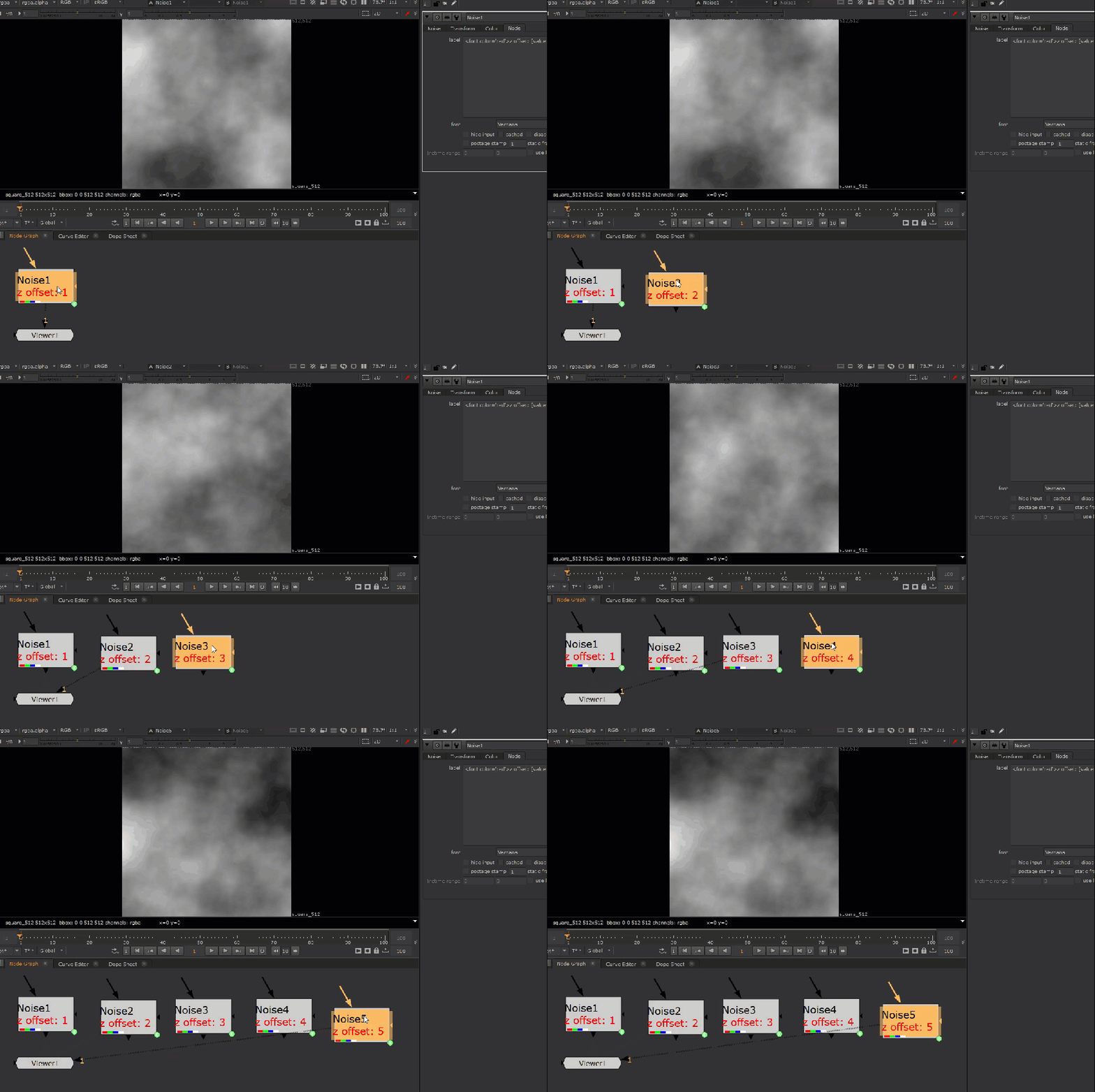
And just like in Houdini, we can use this to drive parameters in a template, such as the Z offset on a noise node, so when we copy and paste multiple templates based off of the noise node, it will seed a unique value for each.
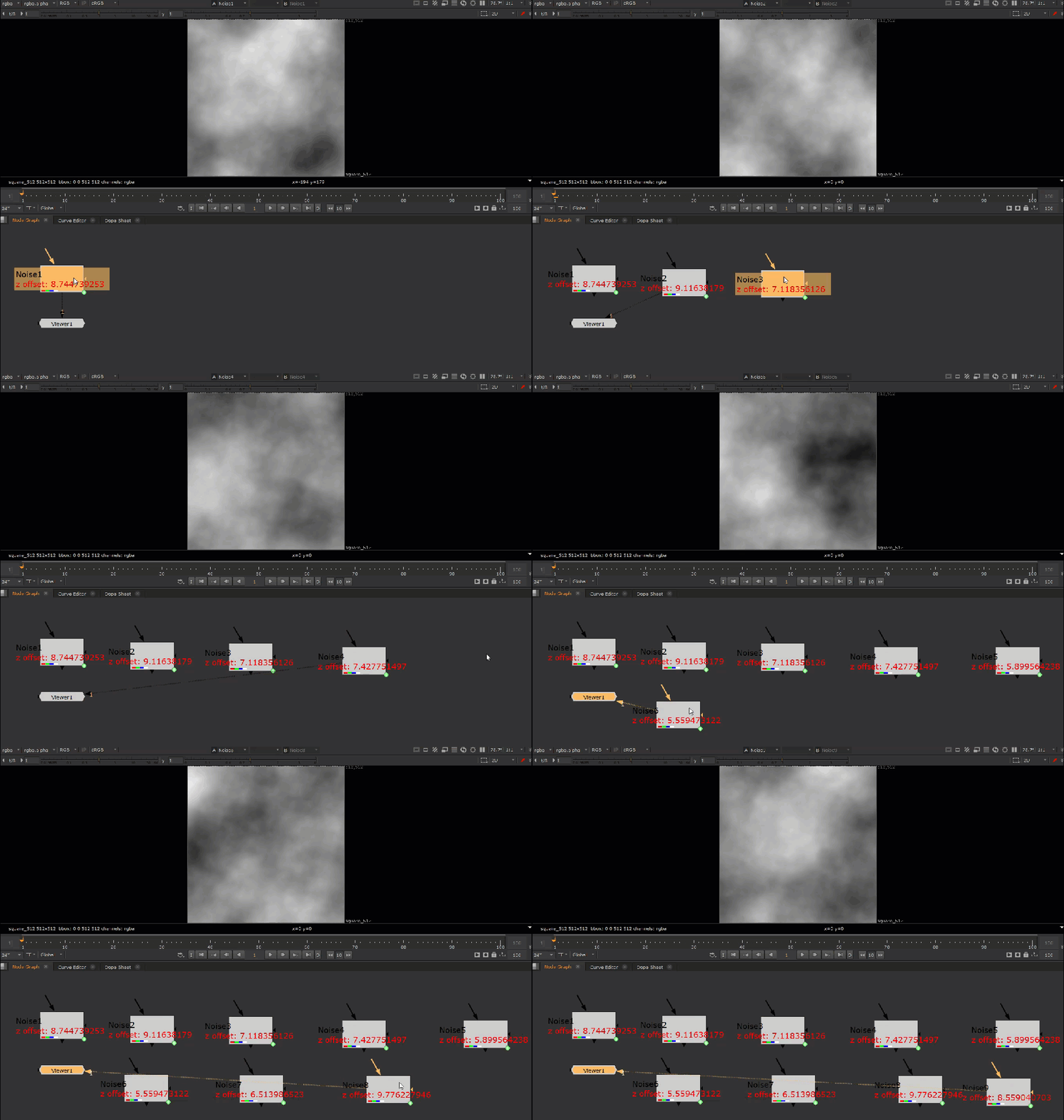
And to take this one step further, you can use the lerp function to seed a random range of values:
lerp(0, new_min, 1, new_max, random([regexp -inline {\d+(?=\D*$)} [knob name]]))
Here’s what’s going on!
After we get the value of the regex expression, we feed that into a random function, which will produce a value between 0 and 1.
random([regexp -inline {\d+(?=\D*$)} [knob name]])
Finally, we take this value between 0 and 1 and remap it with the lerp function to a new range.
Here, we’re remapping the value to a new range between 5 and 10.
Nobody wants to memorize all these expressions that physically hurts you when looked upon, that’s why I’ve prepared a little Python snippet to add this functionality directly into Nuke.
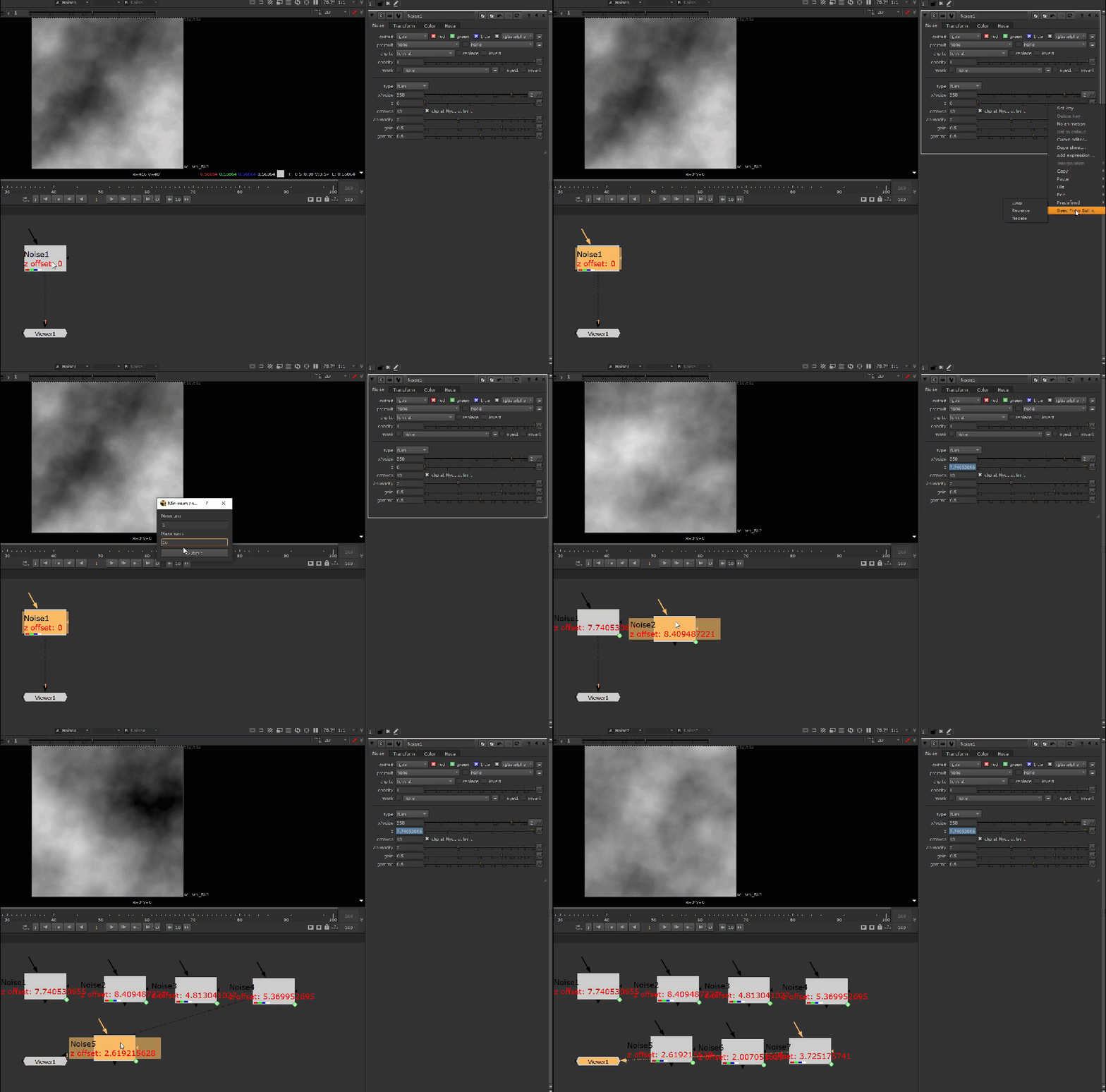
You can find the Python code below.
Thanks for reading!
"""
Sets a random value between 0 - 1 based on the suffix digit of the node.
Adds context button to the animation menu.
TCL based and works properly with render farm.

v1.0.6
2024-7-14
"""

import nuke
from PySide2.QtWidgets import QWidget, QLabel, QLineEdit, QPushButton, QVBoxLayout, QHBoxLayout, QDialog, QApplication

nuke.menu('Animation').addCommand('Seed From Suffix', 'seedFromSuffix_Gui()')


class SeedFromSuffix(QDialog):
    def __init__(self):
        super(SeedFromSuffix, self).__init__()
        self.initUI()

    def initUI(self):
        self.setWindowTitle('Minimum and Maximum Input')

        #main layout
        layout = QVBoxLayout()

        #user inputs
        self.min_input = QLineEdit(self)
        self.max_input = QLineEdit(self)

        #name inputs
        min_label = QLabel('Minimum:', self)
        max_label = QLabel('Maximum:', self)

        #make button
        submit_button = QPushButton('Submit', self)
        submit_button.clicked.connect(self.submit)
        submit_button.setDefault(True)  #make this button the default button

        #put widgets in layout
        layout.addWidget(min_label)
        layout.addWidget(self.min_input)
        layout.addWidget(max_label)
        layout.addWidget(self.max_input)
        layout.addWidget(submit_button)

        self.setLayout(layout)


    def seedFromSuffix(self):
        seedExpression = 'lerp(0, ' + str(self.min_input.text()) + ', 1, ' + str(self.max_input.text()) + ', random([regexp -inline {\d+(?=\D*$)} [knob name]]))'
        knobIndex = self.getKnobIndex()
        if knobIndex == -1:
            nuke.thisKnob().setExpression(seedExpression)
        else:
            nuke.thisKnob().setExpression(seedExpression, knobIndex)

    def submit(self):
        min_value = self.min_input.text()
        max_value = self.max_input.text()
        #validate inputs are numbers
        try:
            min_value = float(min_value)
            max_value = float(max_value)
        except ValueError:
            nuke.message("<font color='lime'>Double check input.\n\nNumbers only!")
        #validate inputs ordered
        if float(min_value) > float(max_value):
            nuke.message("<font color='lime'>Minimum value cannot be greater than max value!")
            return False

        self.close()
        self.seedFromSuffix()

    def getKnobIndex(self):
        """
        Borrowed from http://www.nukepedia.com/python/getting-the-index-context-of-a-knob
        """
        tclGetAnimIndex = """

     set thisanimation [animations]
     if {[llength $thisanimation] > 1} {
      return "-1"
      } else {
       return [lsearch [in [join [lrange [split [in $thisanimation {animations}] .] 0 end-1] .] {animations}] $thisanimation]
      }
     """
        try:
            return int(nuke.tcl(tclGetAnimIndex))
        except RuntimeError:
            return int(-1)


def seedFromSuffix_Gui():
    widget = SeedFromSuffix()
    widget.exec_()
 input + output