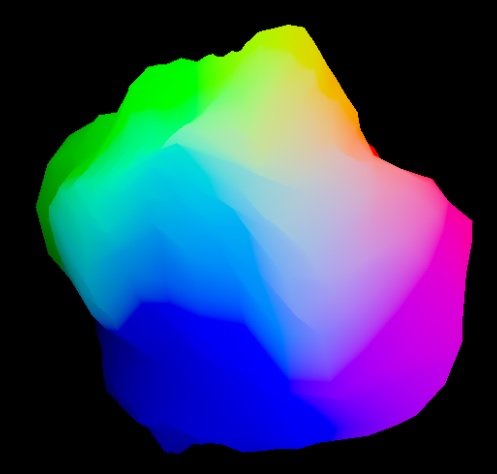
One way to make our colleagues in the lighting department love us is to relight their renders in Nuke whenever we can to address a note. So, in this article, we’ll go through the process of creating a custom tool with expressions and a bit of Python to assist us in relighting.
We’ll create a 3D scene from scratch inside Nuke for the sake of simplicity, but the workflow should be the same for working with rendered images.
Let’s prepare the scene now.
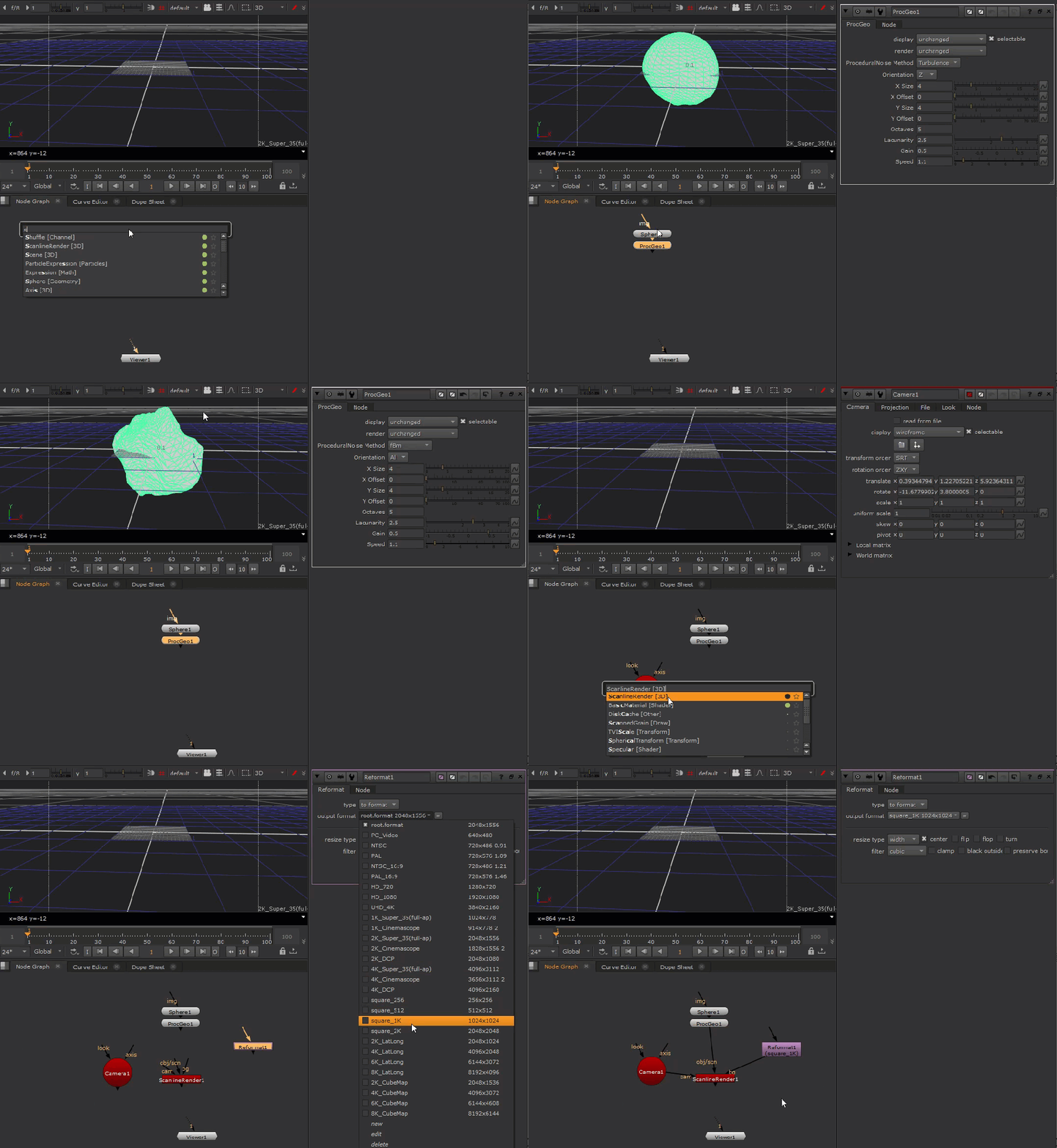
First, create a Sphere with default values. This will be our lighting subject for this article.
Next, create a ProceduralNoise node and connect it to the Sphere. Set its method to “fBm“, and orientation to “All” to make the sphere take on a rocky shape.
Then create a Camera and frame up the rocky sphere in the center of frame.
Create a Reformat node, and set its output format to “square_1K” for a speedy experience.
Finally, drop a ScanlineRender and hook up all the inputs.
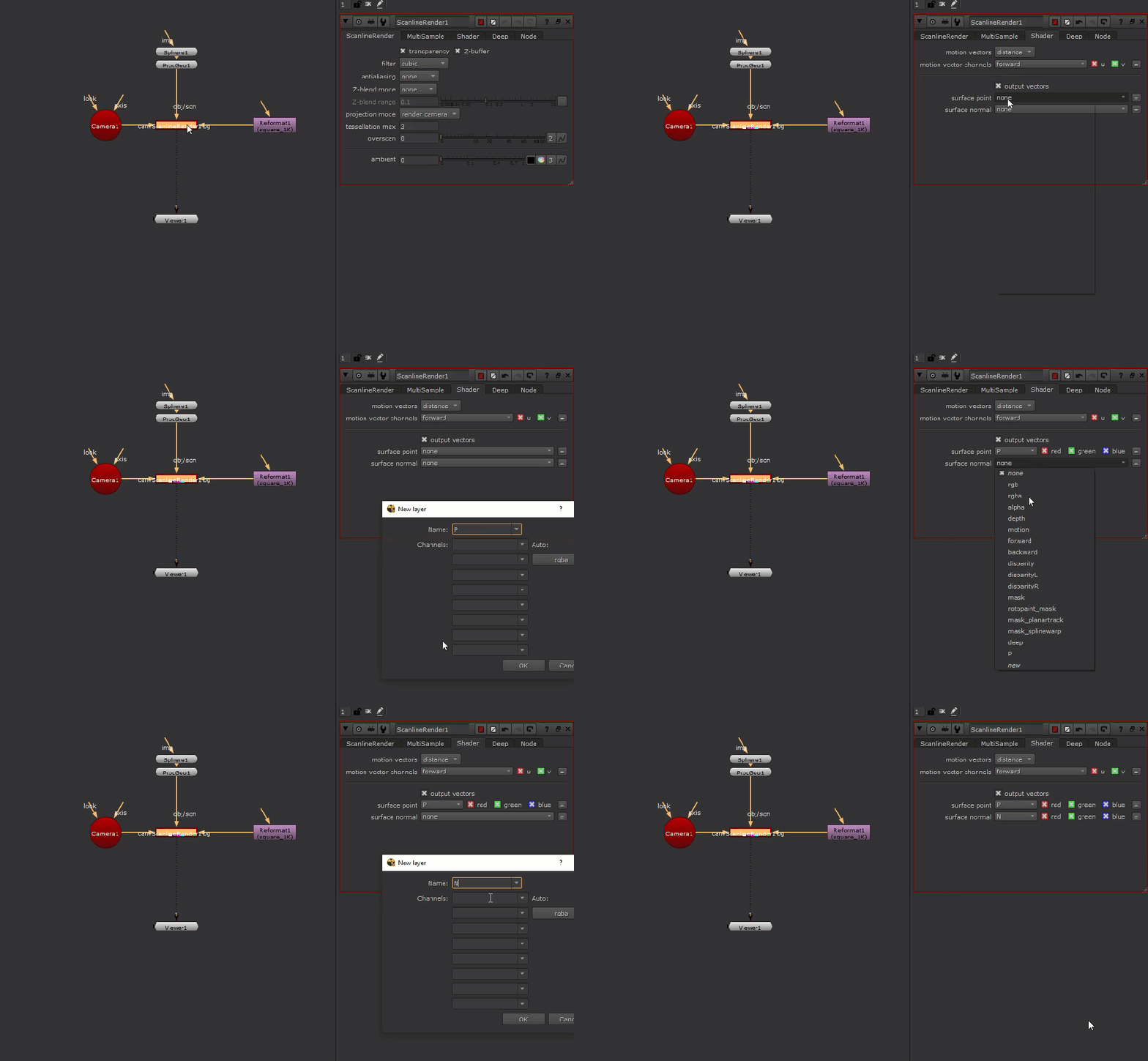
Now we need the position and normal data, let’s set up the ScanlineRender to output these.
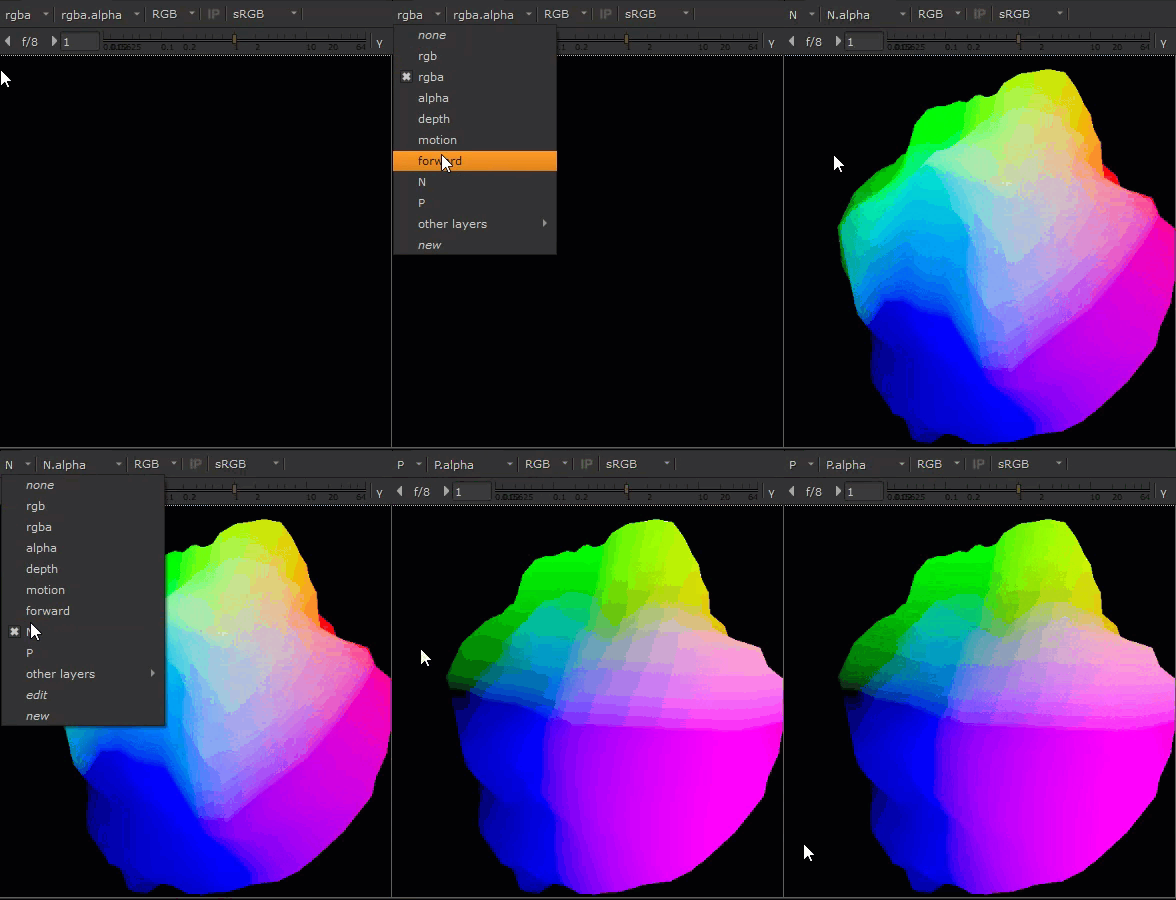
Now we have position and normal data, we can check that they exist in our channels.
At this point, we should be in familiar territory as this is similar to a CG render, and we’re now ready to begin to build the relight tool!
Start with a Group node, name it “RELIGHT_TOOL”, hook it up to the ScanlineRender, and dive inside!
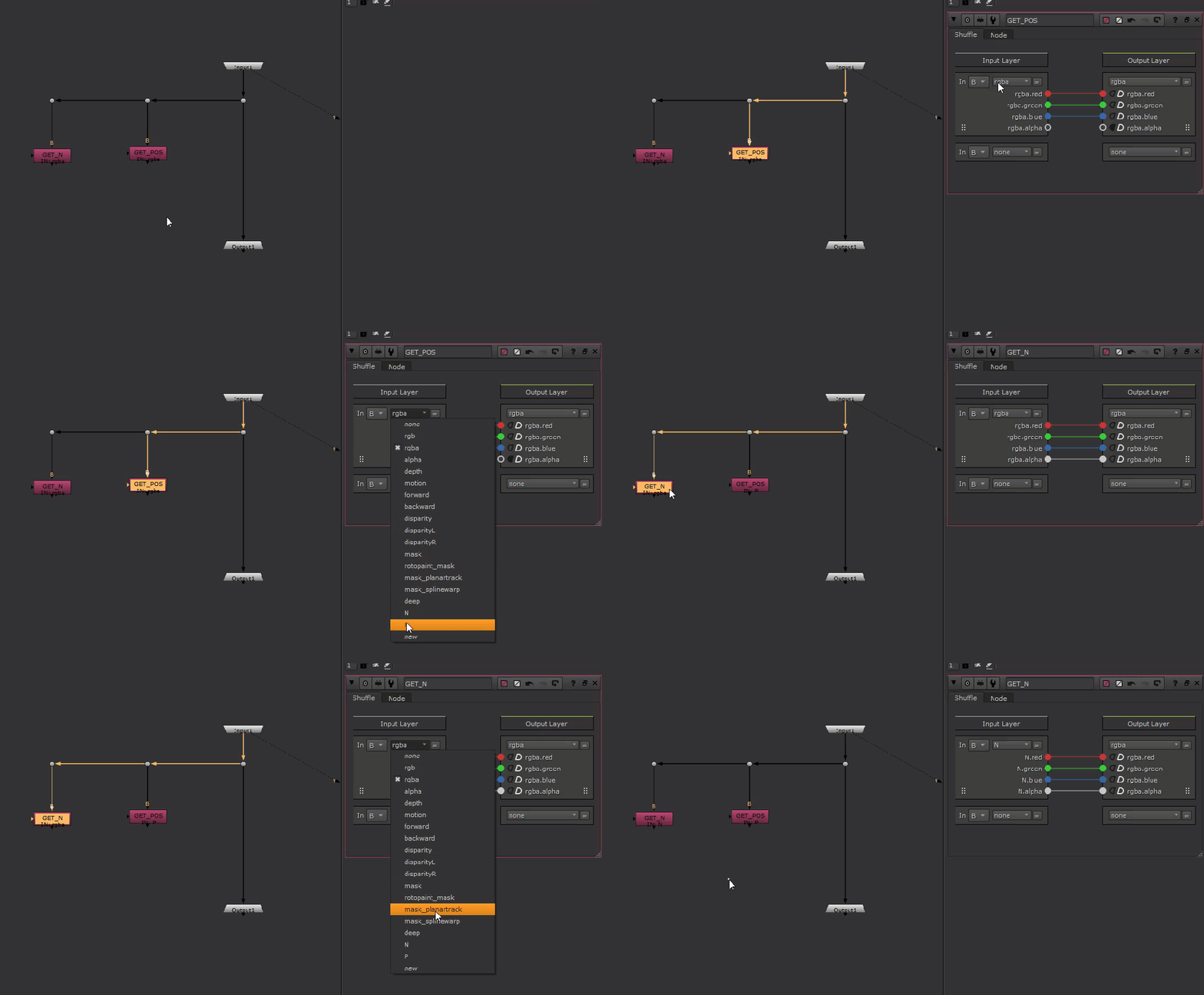
Create two shuffle nodes off to the side, and connect them to the Input node. We’ll use these two nodes to sample the position and normal data. Name them “GET_POS” and “GET_N“.
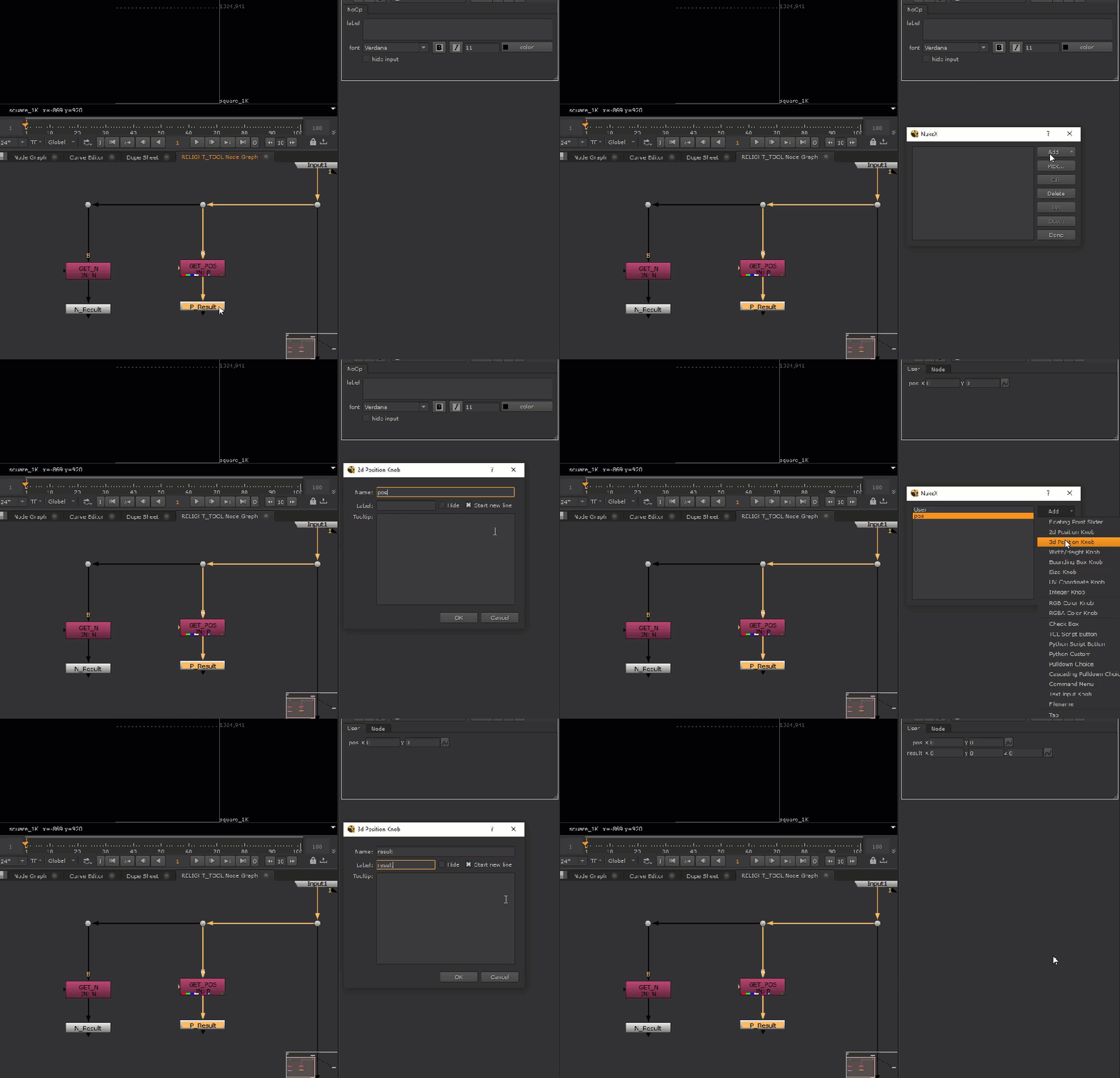
Create a NoOp node after each shuffle node and name them “P_Result” and “N_Result“.
For each NoOp node, create a 2D and 3D position knob, and name them “pos” and “result“.
We’ll use the 2D position knob to control where to sample the position and normal data.
We’ll use the 3D position knob to store the sampled data to feed to our light for relighting.
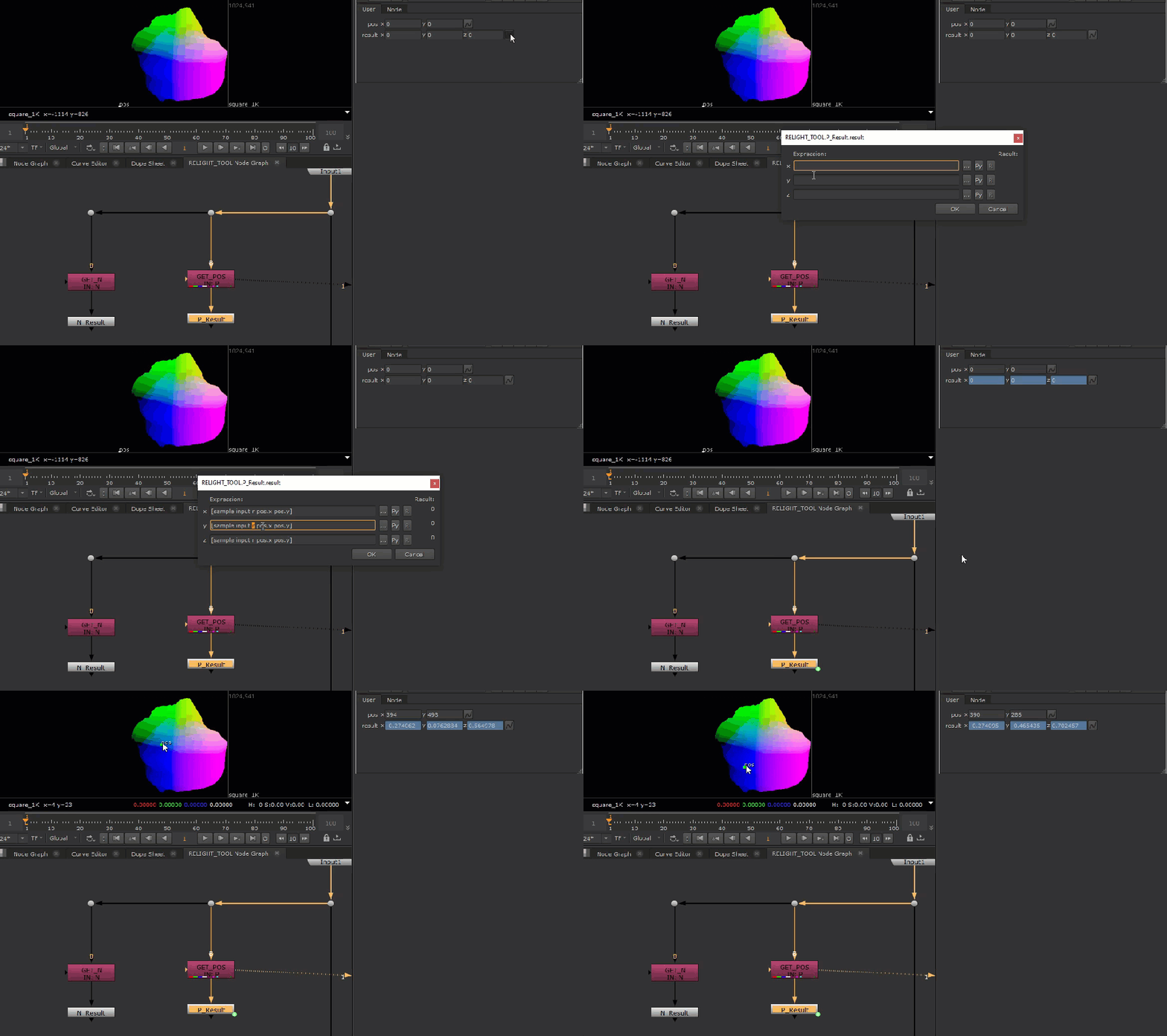
To sample data, we’ll enter this expression into the “result” knob for each NoOp node:
[sample input r pos.x pos.y]

[sample input g pos.x pos.y]

[sample input b pos.x pos.y]
This expression allows us to sample the input image at the specified channel at the position of our 2D position knob.
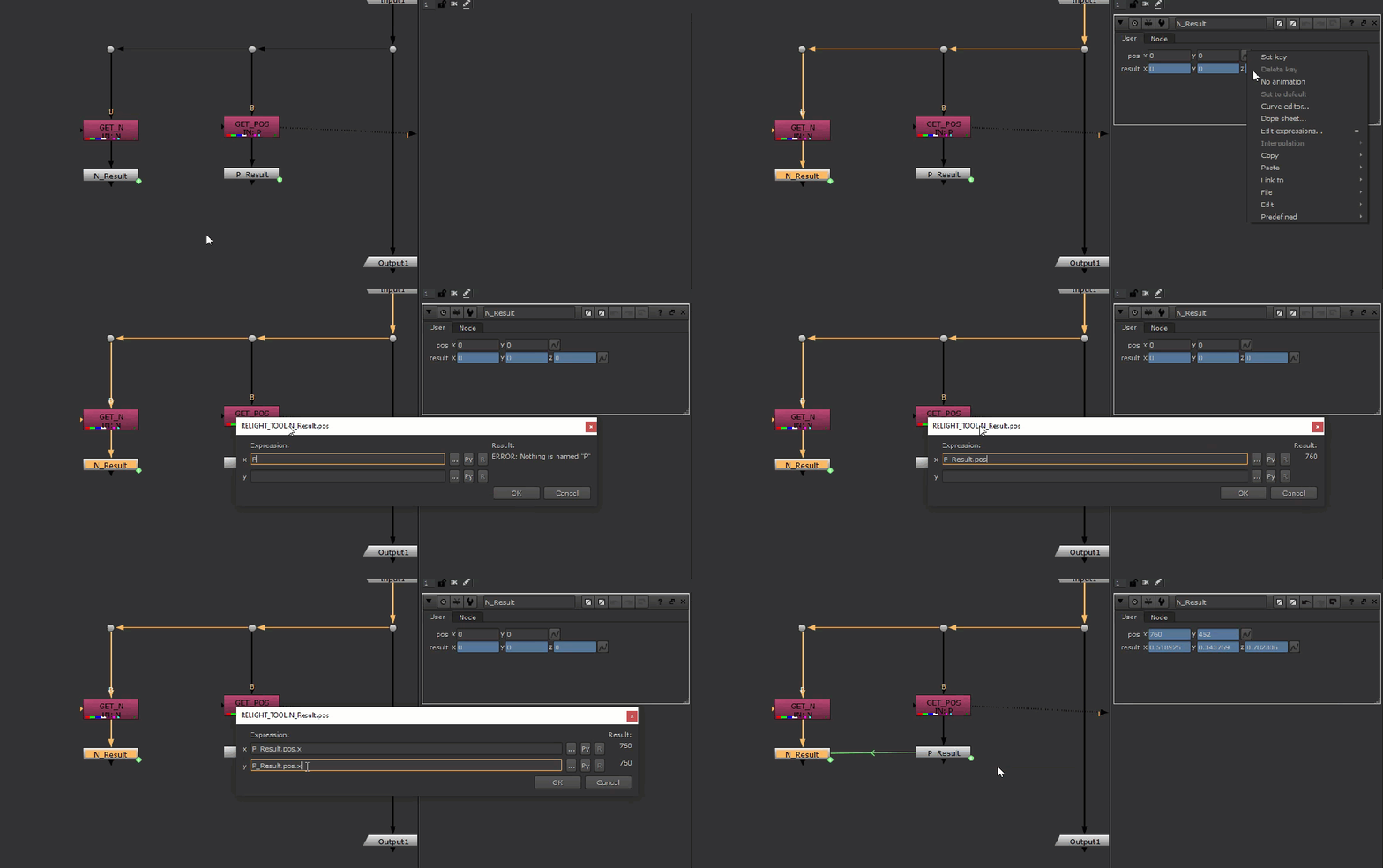
We should also link the “pos” knob of our “N_Result” node to the “pos” knob on our “P_Result“, to ensure that we’re always sampling position and normal at the same location.
With our position and normal data sampled, let’s move on to making the relight rig.
Create a ReLight node, and place it in the main pipe of our group node, set it’s normal and position channels.
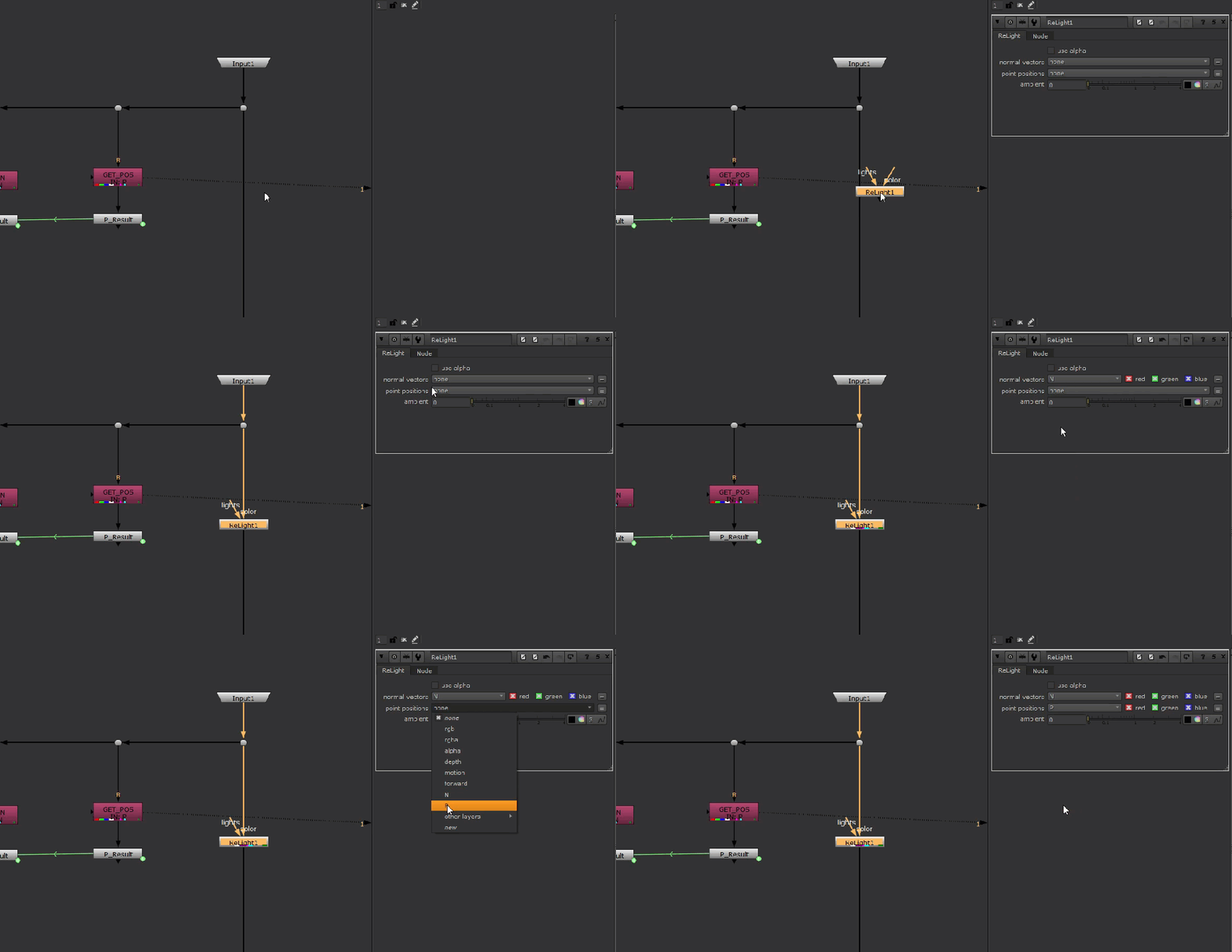
The ReLight node requires the 3 additional inputs:
- Light
- Camera
- Material
These inputs don’t all show up at once, but will reveal themselves once the previous input is connected.
Create two Input nodes, and name them “LIGHT“, and “CAMERA” and connect them to their corresponding inputs on the ReLight node.
Then, create a BasicMaterial node and plug it into the “material” input.
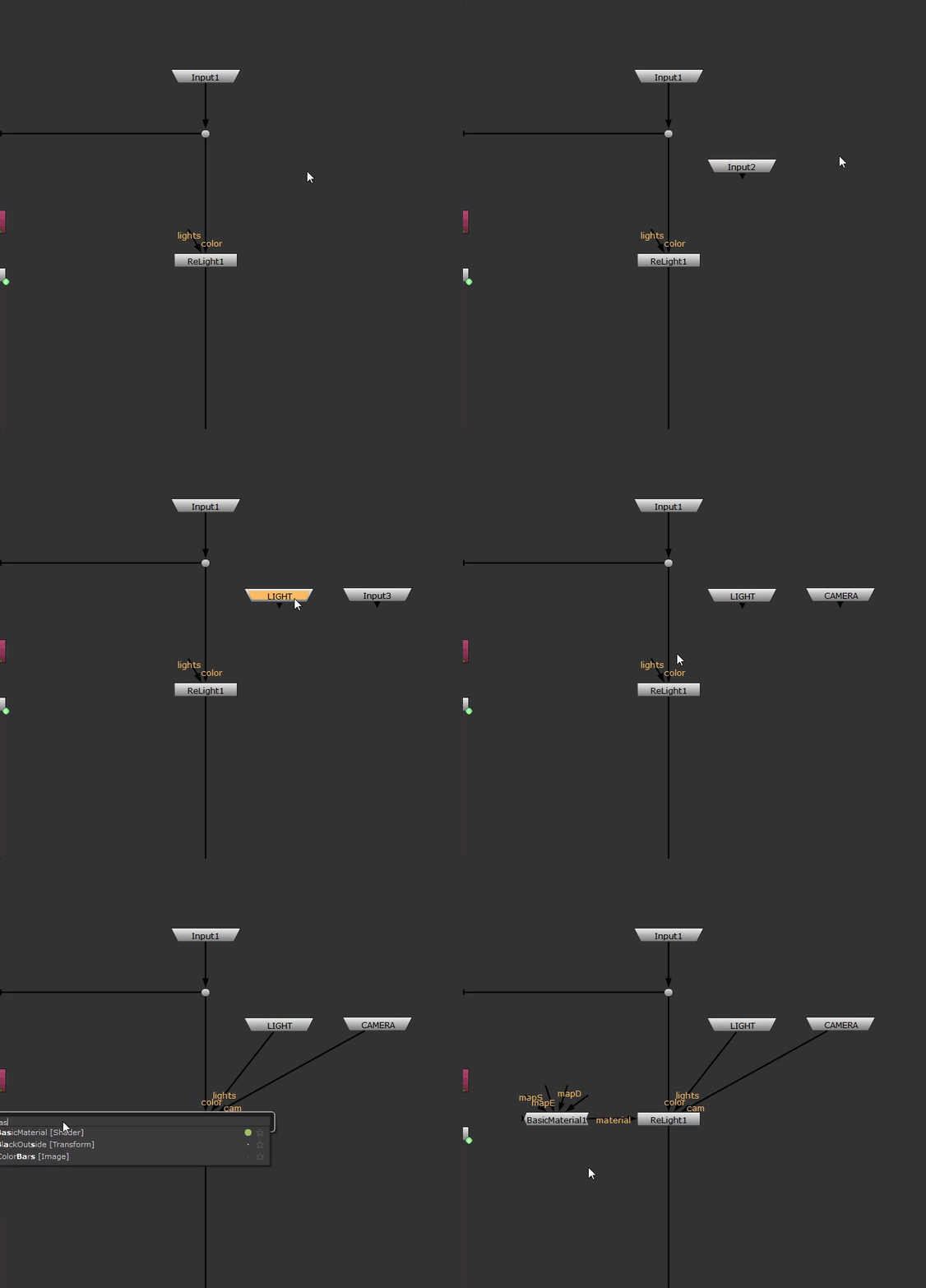
Our work inside the group node is done, let’s exit to the root node graph and start promoting some parameters that the users of this tool will interact with.
Some parameters we want to promote are:
- “in1” knob from “GET_POS” and “GET_N“, so the user can pick what channels the position and normal data reside in
- “pos” knob from “P_Result“, to allow the user to interactively change the sample position, we only need this knob because it drives the “N_Result“‘s “pos” knob.
- “specular” and “diffuse” knob on the “BasicMaterial” node, which will allow the user to tweak the look of the surface of the mesh
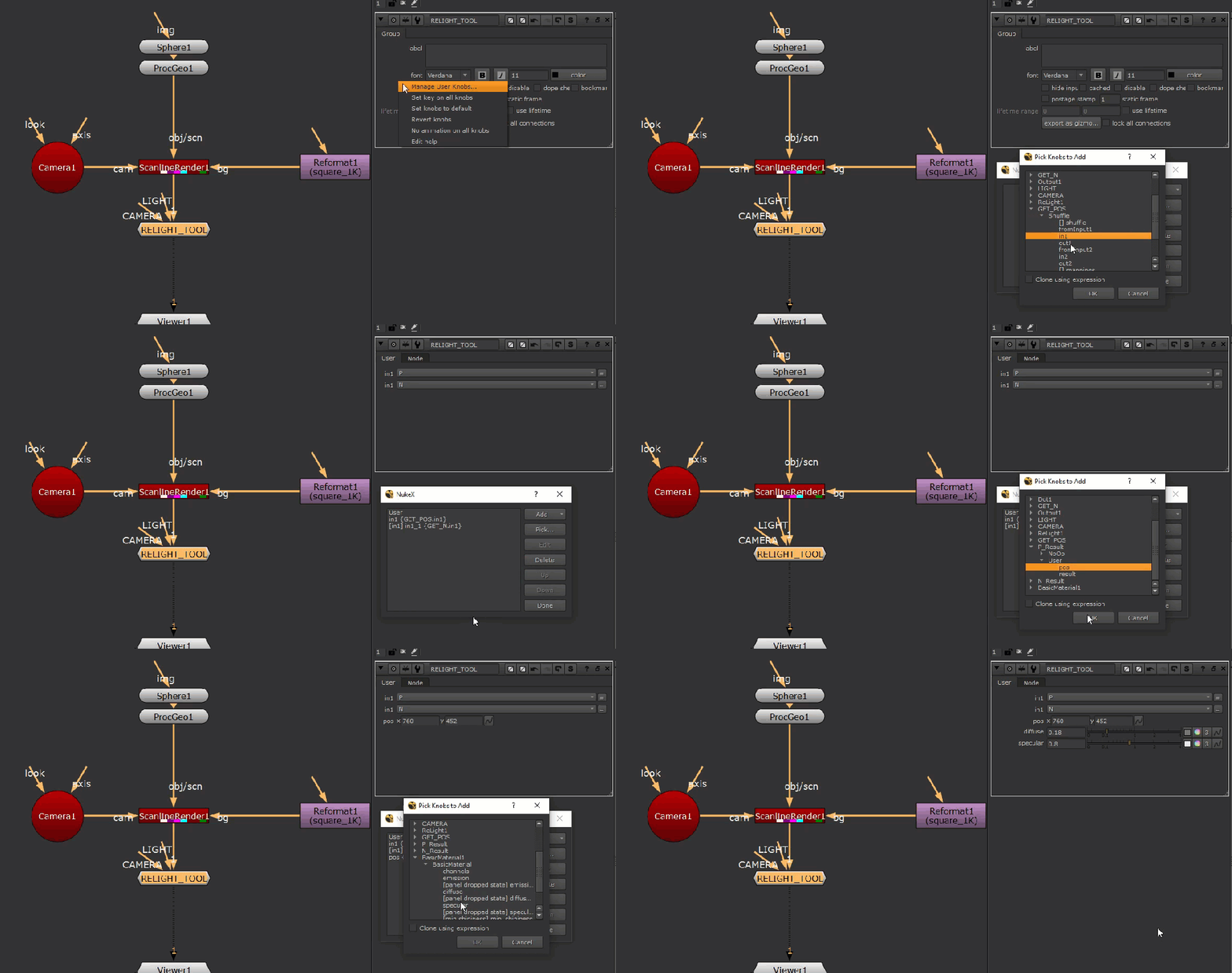
Let’s organize our parameters a bit.
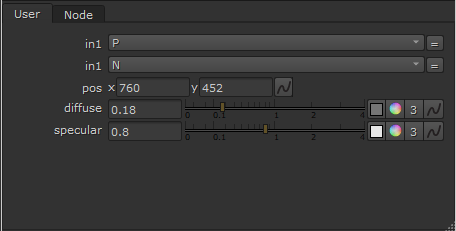
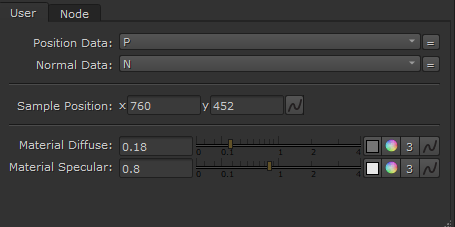
Next, we’ll create a 3D position knob, name it “Result” and link it to our “P_Result” node’s “result” knob. We don’t want to promote it from inside the group because we’re going to add some funky expressions onto this knob later to add a cool functionality.
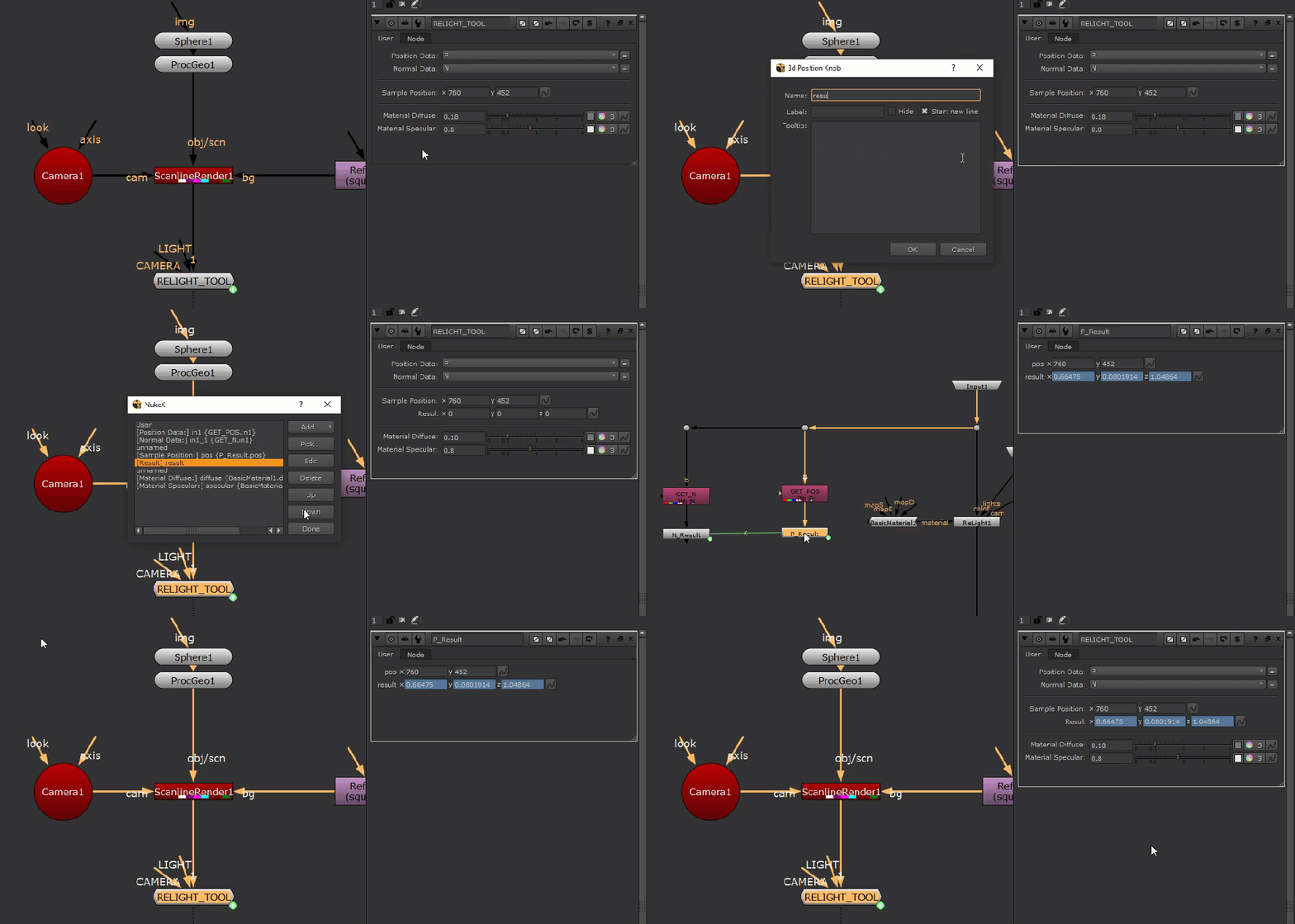
Next, we’re going to use Python to create a light at our sample position and link our resulting position to the light’s position.
Create a “Python Script Button” and name it “Make Light” and enter the Python code below:
n = nuke.thisNode()

#align light node
xpos = n['xpos'].getValue()+200
ypos = n['ypos'].getValue()-20

#remove light node if one already exists
nuke.delete(n.input(1))

#fetch position result
result = n['result'].getValue()

#deselect group node
n['selected'].setValue(0)

#create light node and set attributes and link expressions
with nuke.Root():
    l=nuke.createNode('Light2')
    l['xpos'].setValue(xpos)
    l['ypos'].setValue(ypos)
    l['translate'].setExpression(n.name()+'.result')

#connect light to group
n.setInput(1,l)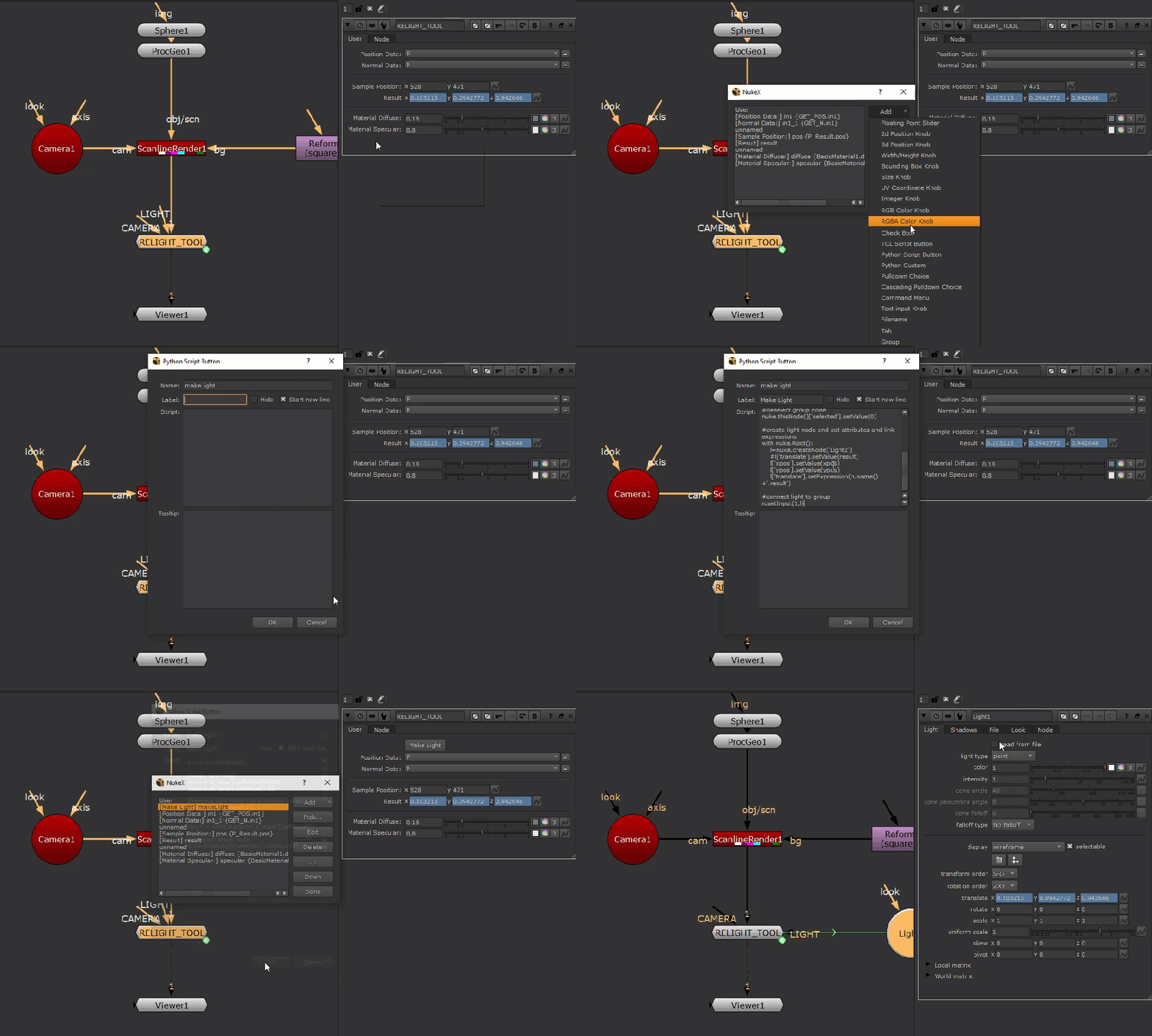
Let’s now connect up our camera and view the result of our tool!
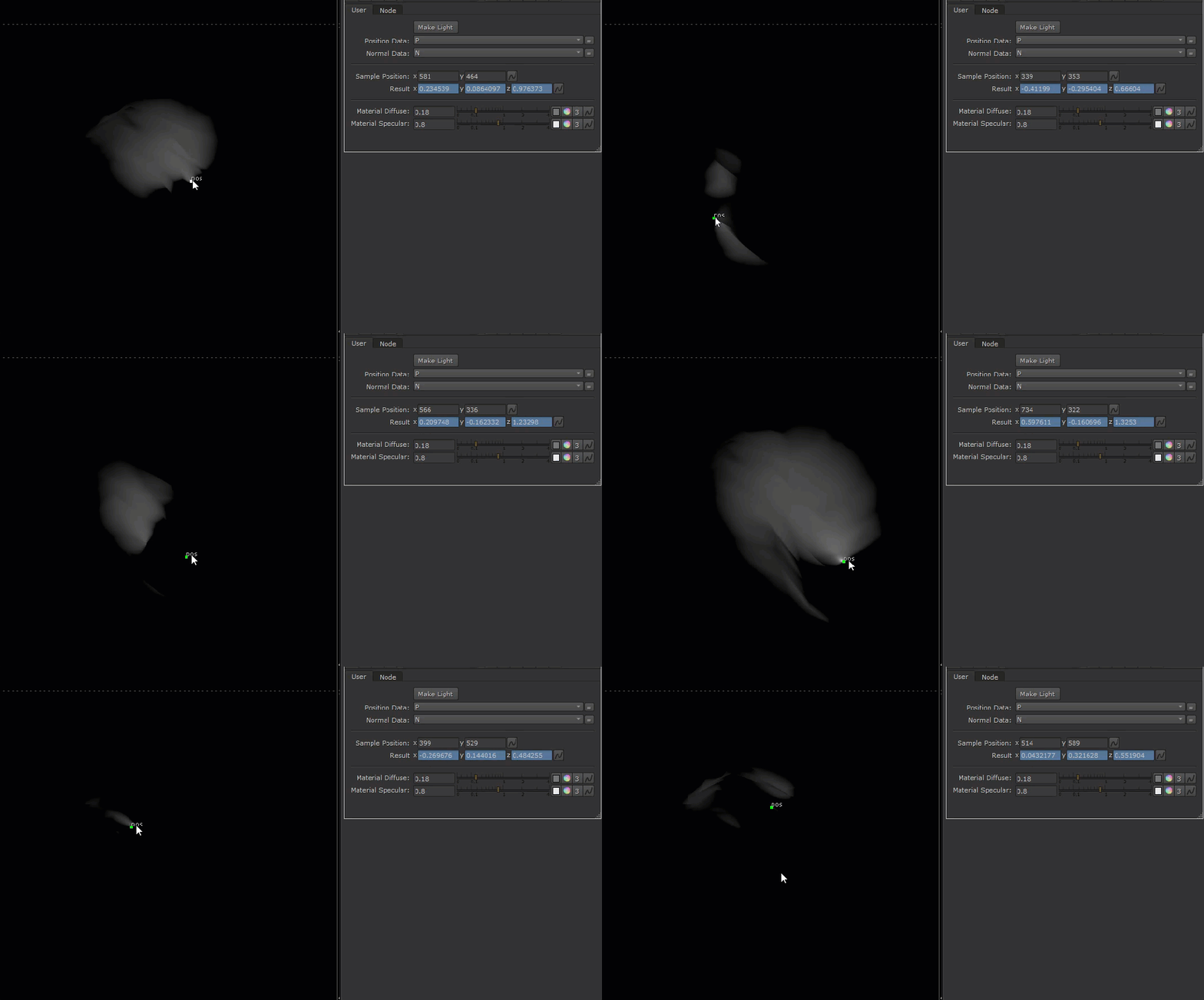
We’re getting all kinds of strange lighting, this isn’t right!
The reason is we’re snapping the point light exactly on the surface of the geometry and it is confused about what it should do!
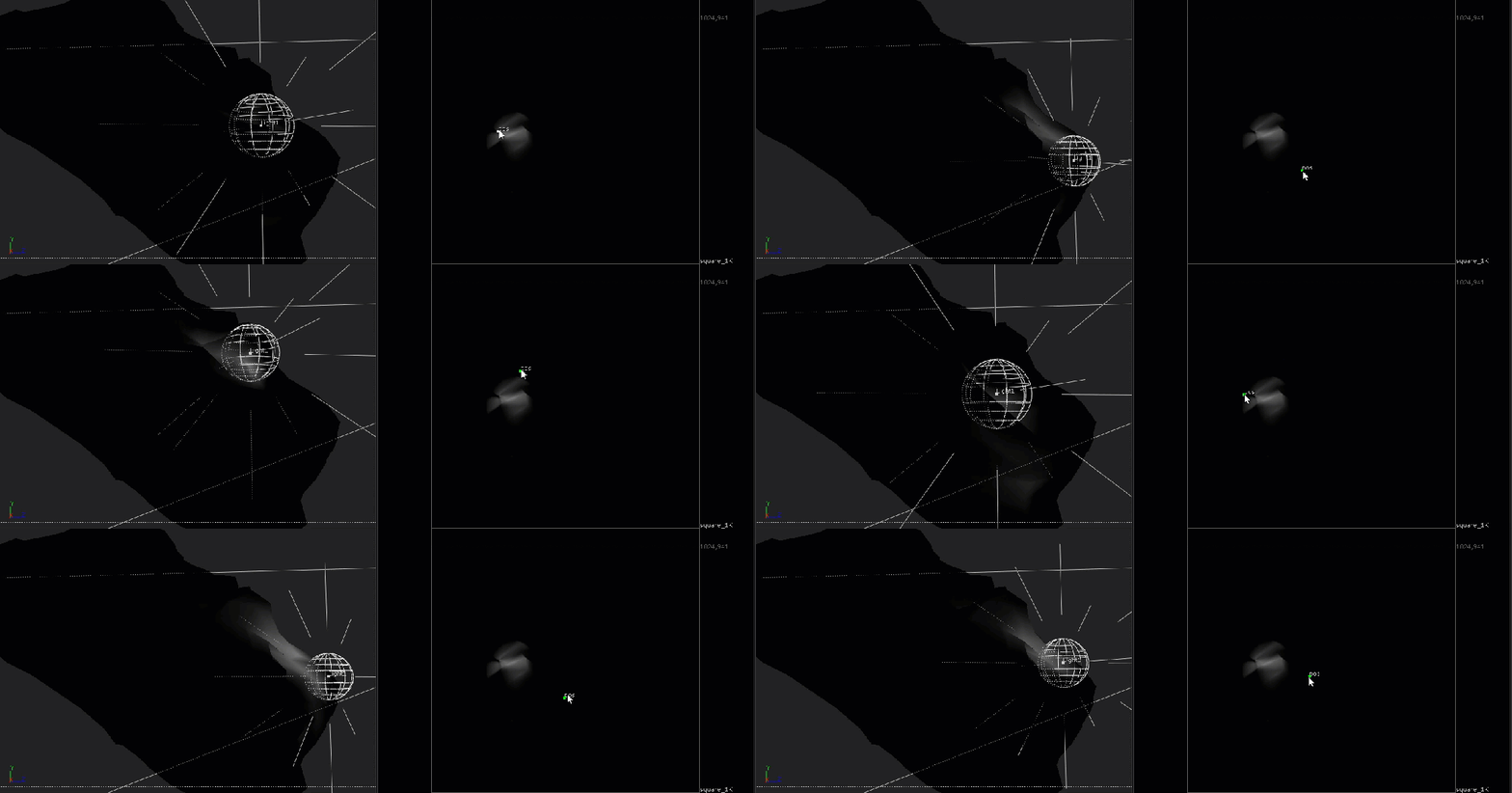
How can we fix this?
Well, it’s time for us to implement the cool functionality that I mentioned earlier!
Remember, we’re sampling the position data and passing it along to the light, but we haven’t used our sampled normal data yet, let’s see how we can use it to fix our lighting errors.
Let’s adjust the expression on our “result” knob on the group node to add the sampled normal to the sampled position:
RELIGHT_TOOL.P_Result.result.x + RELIGHT_TOOL.N_Result.result.x

RELIGHT_TOOL.P_Result.result.y + RELIGHT_TOOL.N_Result.result.y

RELIGHT_TOOL.P_Result.result.z + RELIGHT_TOOL.N_Result.result.z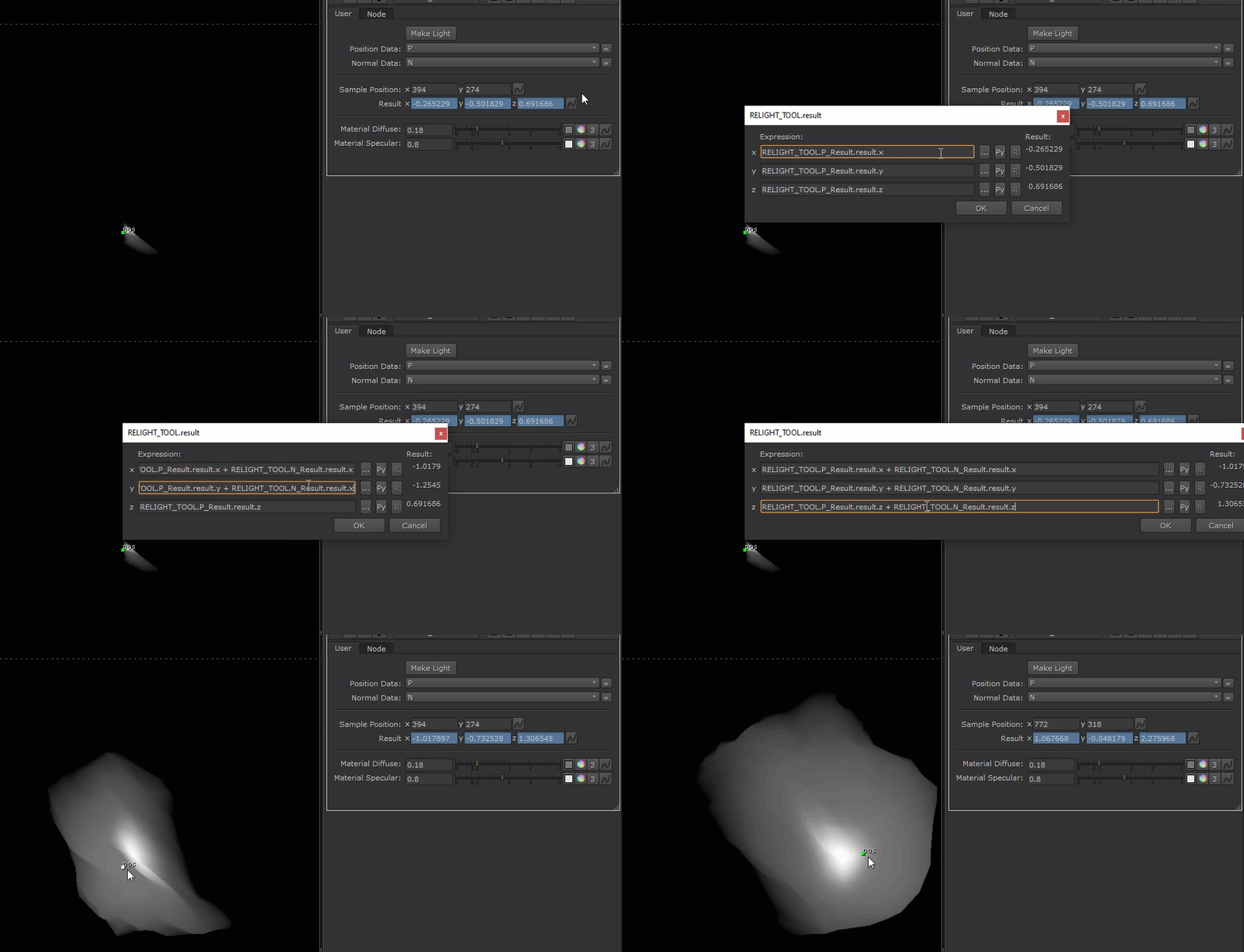
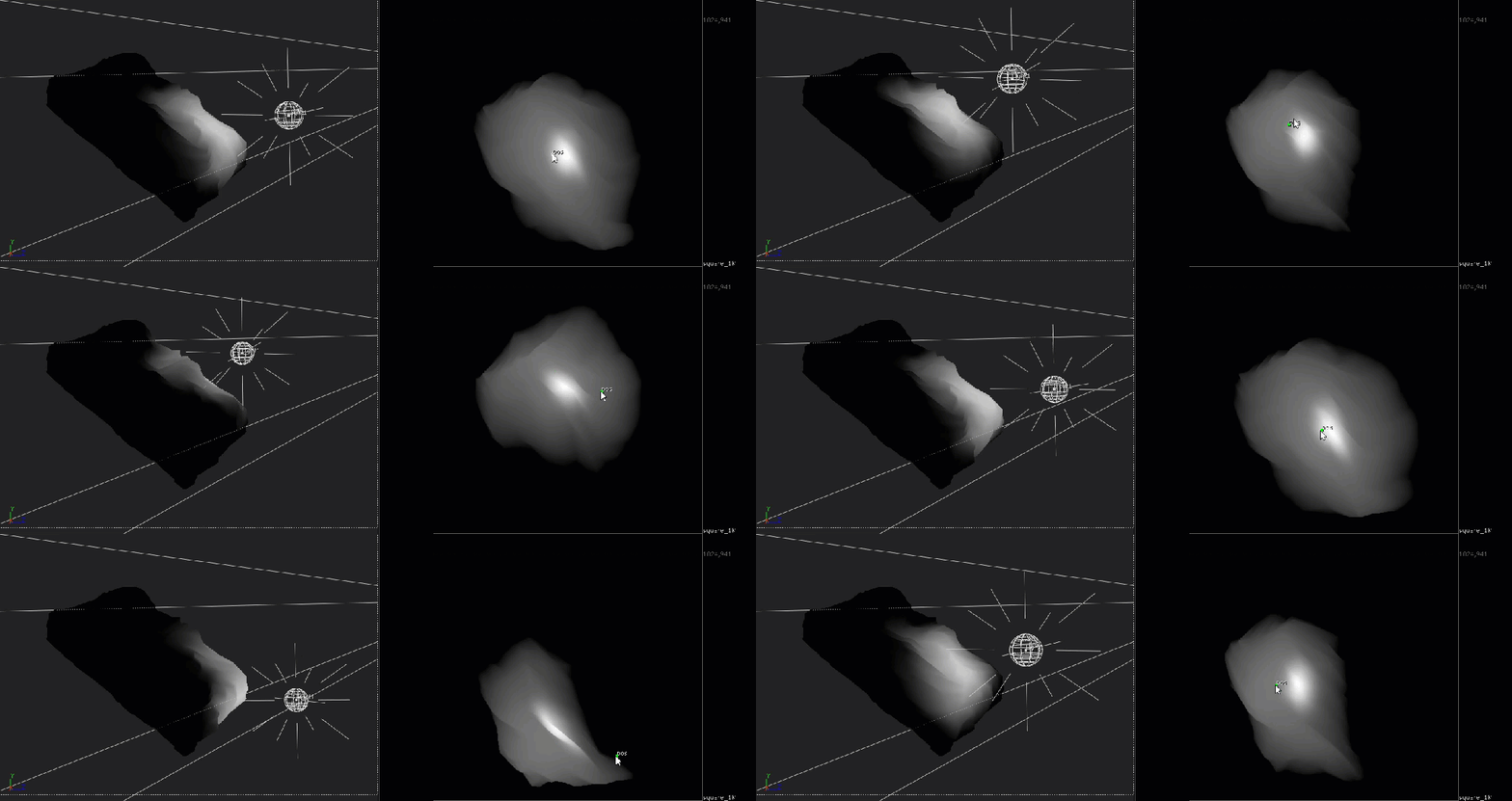
What we did was to offset the light from the surface of the geometry in the direction of the normal, and we’re now getting the correct lighting results!
Lastly, it’d be great if we could control the distance to offset from the surface. To do that, let’s create a float knob and name it “Distance From Surface”, and give it a maximum value of 10.

And modify the “result” knob’s expression again to use this as a multiplier on the sampled normal:
RELIGHT_TOOL.P_Result.result.x + RELIGHT_TOOL.N_Result.result.x * distanceFromSurface

RELIGHT_TOOL.P_Result.result.y + RELIGHT_TOOL.N_Result.result.y * distanceFromSurface

RELIGHT_TOOL.P_Result.result.z + RELIGHT_TOOL.N_Result.result.z * distanceFromSurface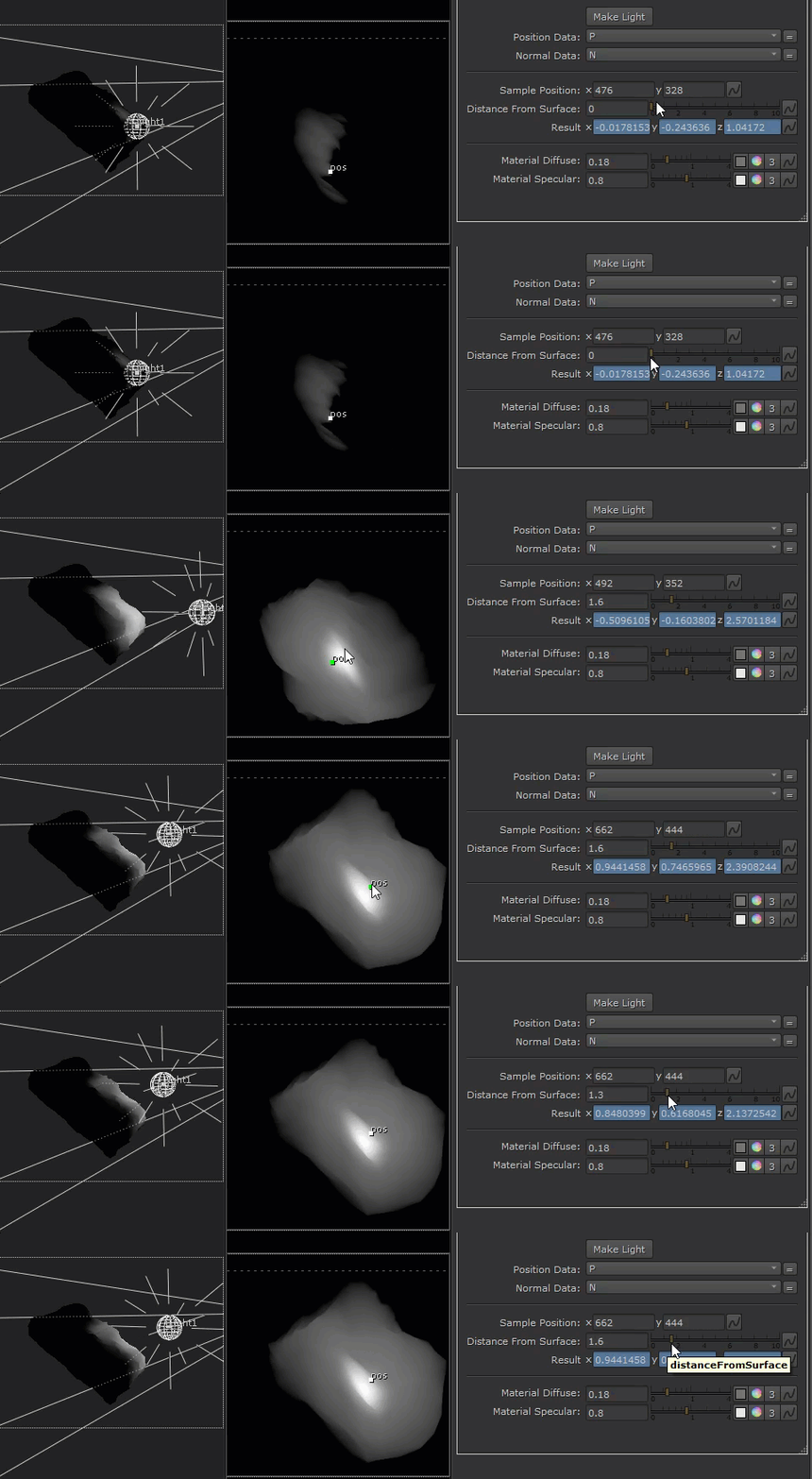
And we’re done!
In this article we look at how we can use expressions to sample data and how to pass this data to Python to procedurally create and drive a light for relighting, we also looked at how we can promote parameters from inside a group for the user to interact with, and we utilized the normal data to solve an interesting problem!
I’ve been using this tool a lot at work to quickly place lights and geometry into the 3D scene using the position and normal data of my renders, hope you can find it helpful too!
Thanks for reading!
Below is the reference Nuke script:
set cut_paste_input [stack 0]
version 12.1 v2
Camera2 {
 inputs 0
 translate {0.3934479356 1.227052212 5.923643112}
 rotate {-11.67799021 3.800000504 0}
 name Camera1
 selected true
 xpos -215
 ypos 18
}
set N61106400 [stack 0]
Dot {
 name Dot1
 selected true
 xpos -191
 ypos 150
}
Light2 {
 inputs 0
 translate {{RELIGHT_TOOL.result} {RELIGHT_TOOL.result} {RELIGHT_TOOL.result}}
 depthmap_slope_bias 0.01
 name Light1
 selected true
 xpos 109
 ypos 126
}
push $N61106400
Sphere {
 inputs 0
 name Sphere1
 selected true
 xpos -93
 ypos -98
}
ProcGeo {
 mode fBm
 orient All
 name ProcGeo1
 selected true
 xpos -93
 ypos -74
}
push $cut_paste_input
Reformat {
 format "1024 1024 0 0 1024 1024 1 square_1K"
 name Reformat1
 selected true
 xpos 90
 ypos 33
}
add_layer {P P.red P.green P.blue P.alpha}
add_layer {N N.red N.green N.blue N.alpha}
ScanlineRender {
 inputs 3
 conservative_shader_sampling false
 motion_vectors_type distance
 output_shader_vectors true
 P_channel P
 N_channel N
 name ScanlineRender1
 selected true
 xpos -93
 ypos 39
}
Group {
 inputs 3
 name RELIGHT_TOOL
 selected true
 xpos -93
 ypos 147
 addUserKnob {20 User}
 addUserKnob {22 makeLight l "Make Light" T "n = nuke.thisNode()\n\n#align light node\nxpos = n\['xpos'].getValue()+200\nypos = n\['ypos'].getValue()-20\n\n#remove light node if one already exists\nnuke.delete(n.input(1))\n\n#fetch position result\nresult = nuke.thisNode()\['result'].getValue()\n\n#deselect group node\nnuke.thisNode()\['selected'].setValue(0)\n\n#create light node and set attributes and link expressions\nwith nuke.Root():\n    l=nuke.createNode('Light2')\n    l\['xpos'].setValue(xpos)\n    l\['ypos'].setValue(ypos)\n    l\['translate'].setExpression(n.name()+'.result')\n\n#connect light to group\nn.setInput(1,l)" +STARTLINE}
 addUserKnob {41 in1 l "Position Data:" T GET_POS.in1}
 addUserKnob {41 in1_1 l "Normal Data:" T GET_N.in1}
 addUserKnob {26 "" +STARTLINE}
 addUserKnob {41 pos l "Sample Position:" T P_Result.pos}
 addUserKnob {7 distanceFromSurface l "Distance From Surface:" R 0 10}
 distanceFromSurface 0.6
 addUserKnob {13 result l Result}
 result {{"RELIGHT_TOOL.P_Result.result.x + RELIGHT_TOOL.N_Result.result.x * distanceFromSurface"} {"RELIGHT_TOOL.P_Result.result.y + RELIGHT_TOOL.N_Result.result.y * distanceFromSurface"} {"RELIGHT_TOOL.P_Result.result.z + RELIGHT_TOOL.N_Result.result.z * distanceFromSurface"}}
 addUserKnob {26 "" +STARTLINE}
 addUserKnob {41 diffuse l "Material Diffuse:" T BasicMaterial1.diffuse}
 addUserKnob {41 specular l "Material Specular:" T BasicMaterial1.specular}
}
 BasicMaterial {
  inputs 0
  name BasicMaterial1
  xpos -142
  ypos 154
 }
 Input {
  inputs 0
  name CAMERA
  xpos 217
  ypos 34
  number 2
 }
 Input {
  inputs 0
  name LIGHT
  xpos 93
  ypos 35
  number 1
 }
 Input {
  inputs 0
  name Input1
  xpos 0
  ypos -79
 }
 Dot {
  name Dot3
  xpos 34
  ypos -3
 }
set N41377000 [stack 0]
 ReLight {
  inputs 4
  normal N
  position P
  name ReLight1
  xpos 0
  ypos 154
 }
 Output {
  name Output1
  xpos 0
  ypos 408
 }
push $N41377000
 Dot {
  name Dot1
  xpos -259
  ypos -3
 }
set N41377800 [stack 0]
 Dot {
  name Dot2
  xpos -461
  ypos -3
 }
 Shuffle2 {
  fromInput1 {{0} B}
  in1 N
  fromInput2 {{0} B}
  mappings "4 N.red 0 0 rgba.red 0 0 N.green 0 1 rgba.green 0 1 N.blue 0 2 rgba.blue 0 2 N.alpha 0 3 rgba.alpha 0 3"
  name GET_N
  label "IN: \[value in1]"
  xpos -495
  ypos 105
 }
 NoOp {
  name N_Result
  xpos -495
  ypos 175
  addUserKnob {20 User}
  addUserKnob {12 pos}
  pos {{P_Result.pos.x} {P_Result.pos.y}}
  addUserKnob {13 result}
  result {{"\[sample input r pos.x pos.y]"} {"\[sample input g pos.x pos.y]"} {"\[sample input b pos.x pos.y]"}}
 }
push $N41377800
 Shuffle2 {
  fromInput1 {{0} B}
  in1 P
  fromInput2 {{0} B}
  mappings "4 P.red 0 0 rgba.red 0 0 P.green 0 1 rgba.green 0 1 P.blue 0 2 rgba.blue 0 2 black -1 -1 rgba.alpha 0 3"
  name GET_POS
  label "IN: \[value in1]"
  xpos -293
  ypos 100
 }
 NoOp {
  name P_Result
  xpos -293
  ypos 173
  addUserKnob {20 User}
  addUserKnob {12 pos}
  pos {494 482}
  addUserKnob {13 result}
  result {{"\[sample input r pos.x pos.y]"} {"\[sample input g pos.x pos.y]"} {"\[sample input b pos.x pos.y]"}}
 }
end_group
 input + output