In this article, we’ll build a little flaming thruster rig that most compositors will get asked to do at least once in their career.
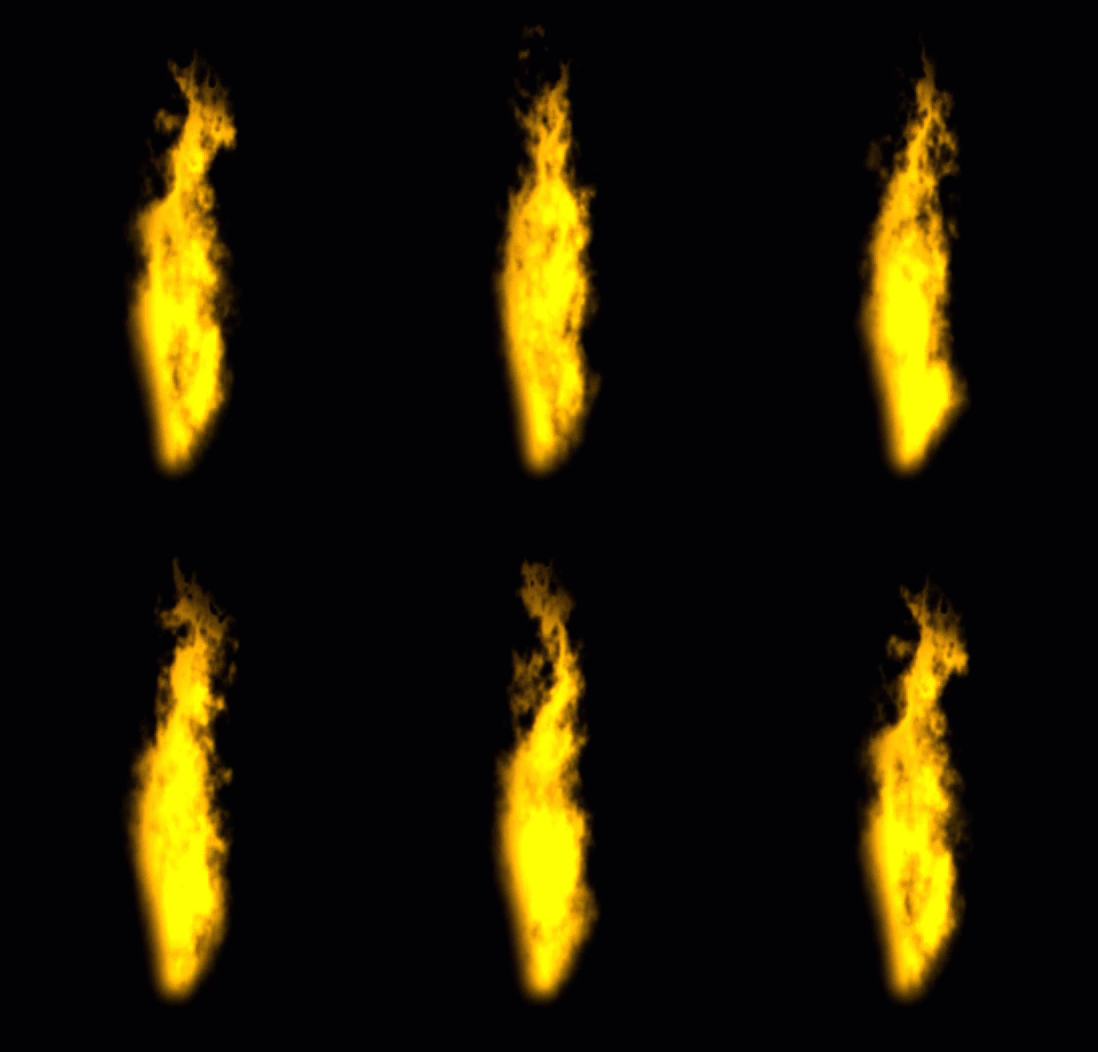
We begin by building a simple animated flame texture like this:
Create a reformat node and set its output format to “Square 512×512“, this is a good working resolution that ensures a speedy feedback while giving us enough detail to work with.
Next, create a noise node and connect it to the reformat node, we’ll be using this node to drive the look and feel of our flame texture.
Go to the Color tab of the noise node, and change its ramp settings like this:
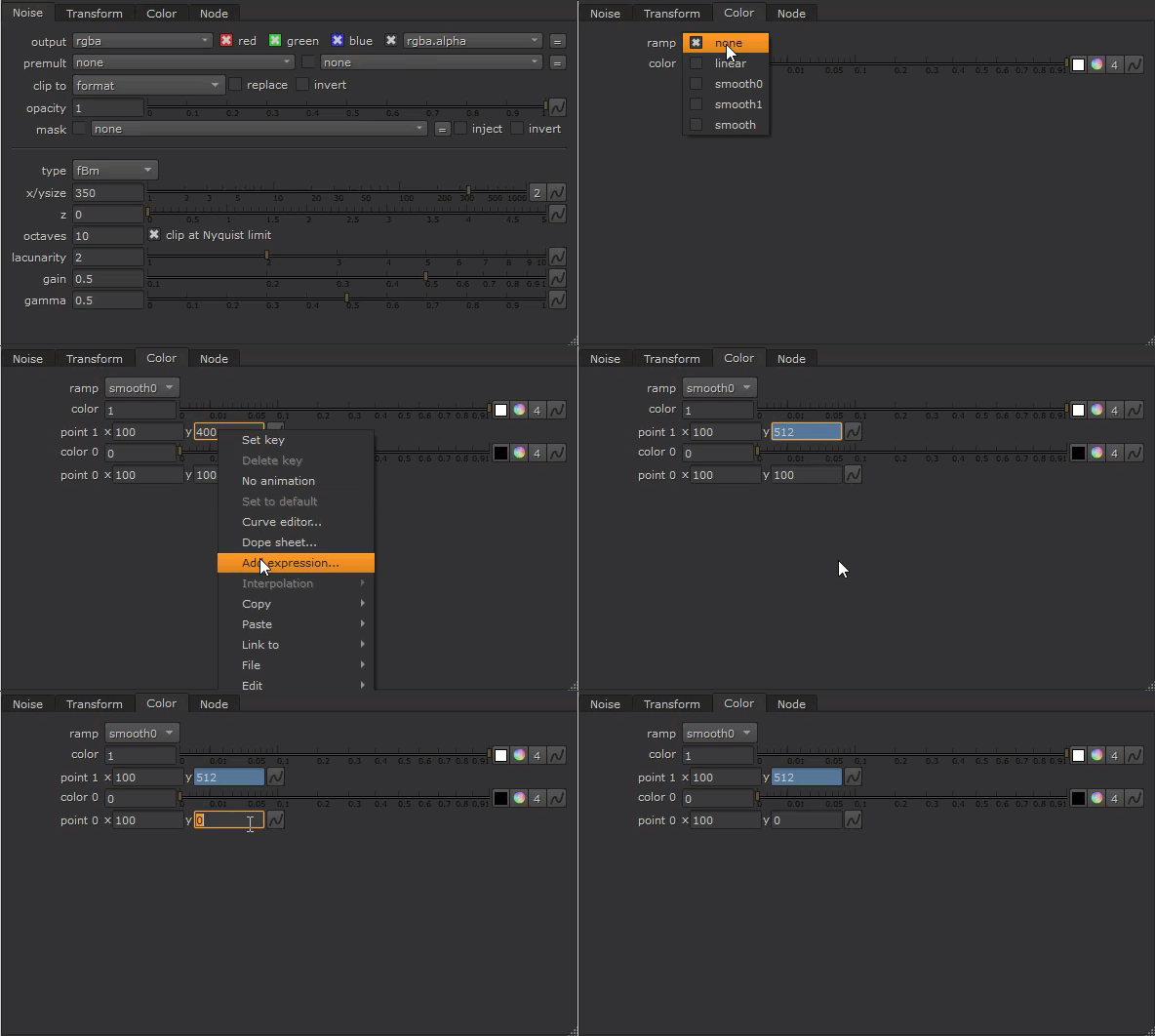
This way, our noise will have a vertical ramp from 0 at the bottom to 1 at the top. This ramp will be useful when we distort the noise in the next step to get its flaming look, as we only want to disturb the upper portion of the flame.
On the noise node, go to the Transform tab, here we want to animate the noise in Y to make it rise.
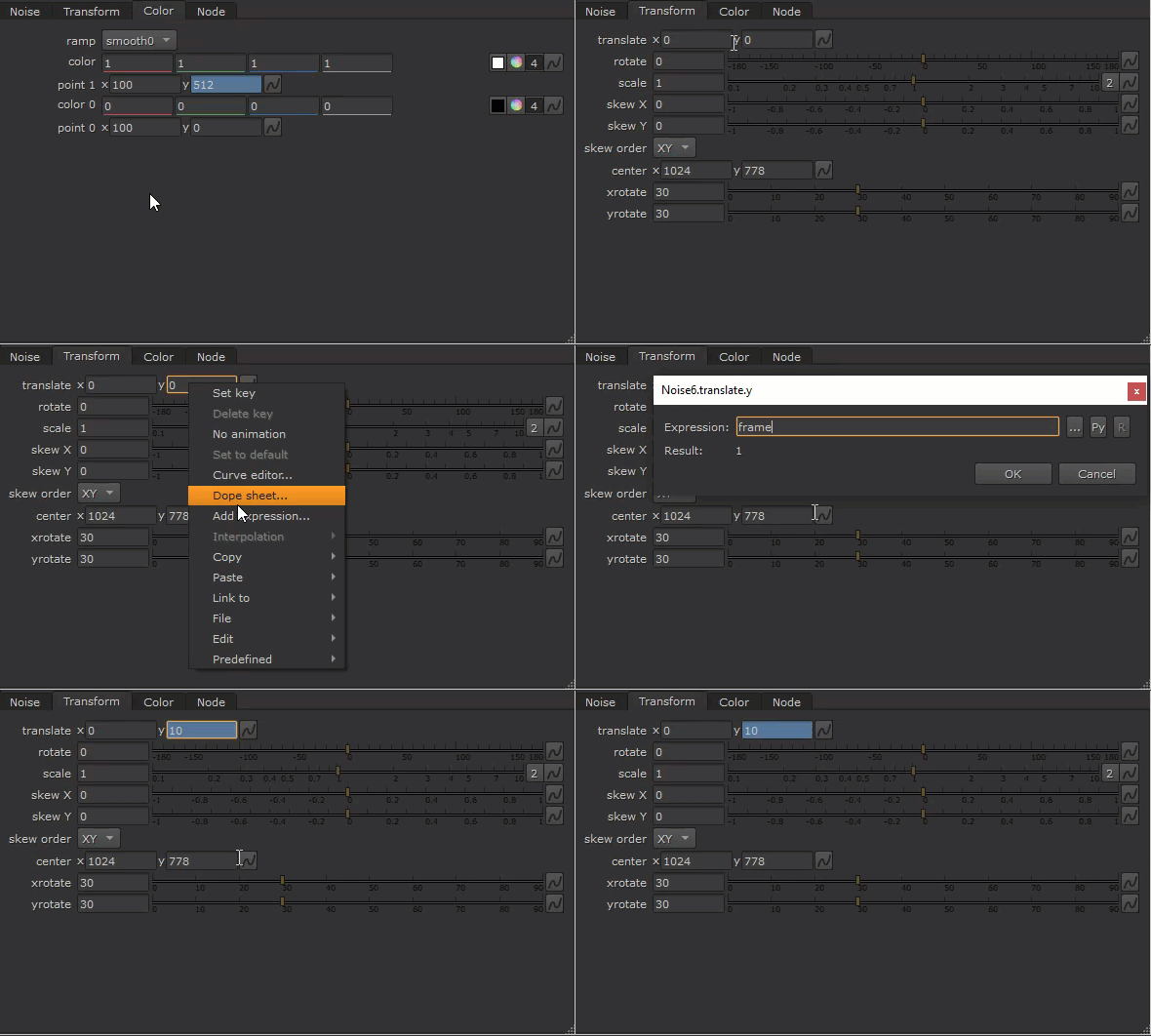
We needn’t worry about the size of our noise at the moment.
Let’s continue to set up rest of the rig.
Next, we’ll need a way to distort the noise.
Create an Expression node, connect it to the reformat node, then create a UV map with these expressions:
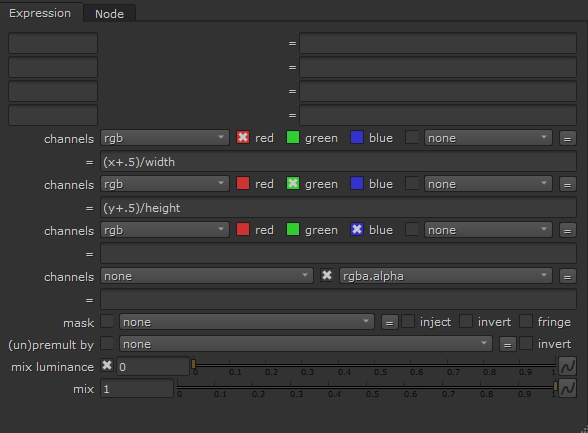
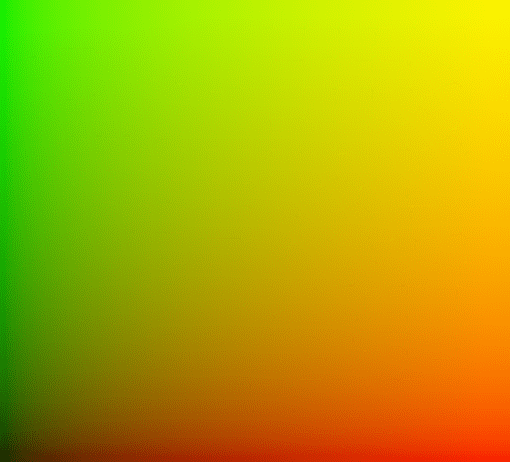
With a UV map ready to go, let’s create a roto node, connect it to the reformat node, and draw a shape we’d like our flame texture to take on.
Picture what a strand of flame looks like:
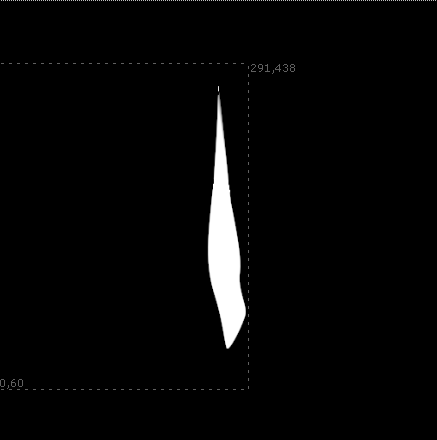
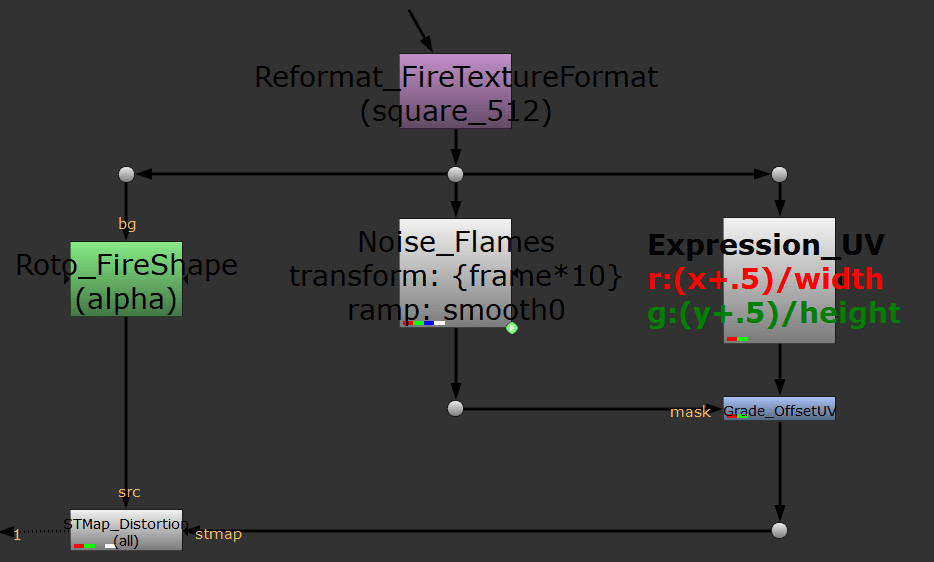
Our node tree should look similar to this now:
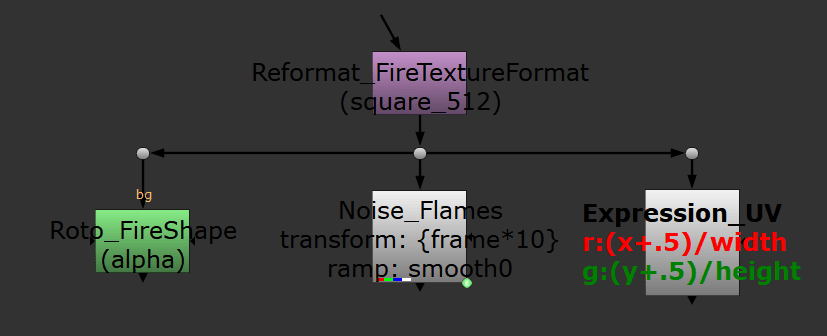
We have most of our key ingredients for the flame texture, let’s now mix them together to create something interesting!
Create a STMap node, connect its “src” input to the roto node, then connect the “stmap” input to our UV map (expression node), and finally set its UV channel to “rgb”.
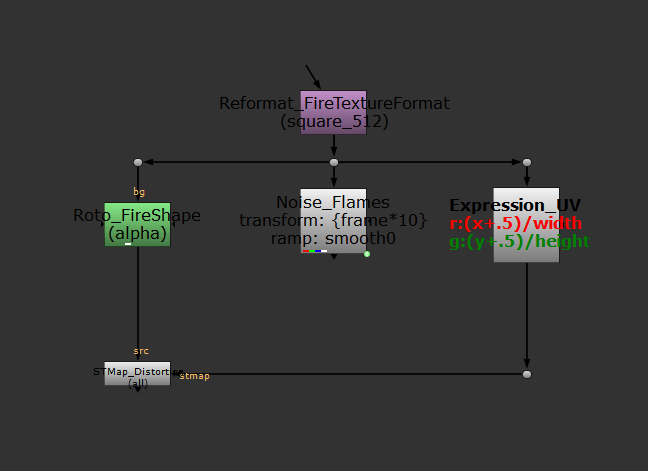
Next, let’s offset our UV map using our noise.
Create a Grade node and insert it below the expression node, and hook up its mask input to the noise node.
Open the color wheel on its gain knob and view the output from the STMap.
Change the red and green channels to offset the UV map in X or Y.
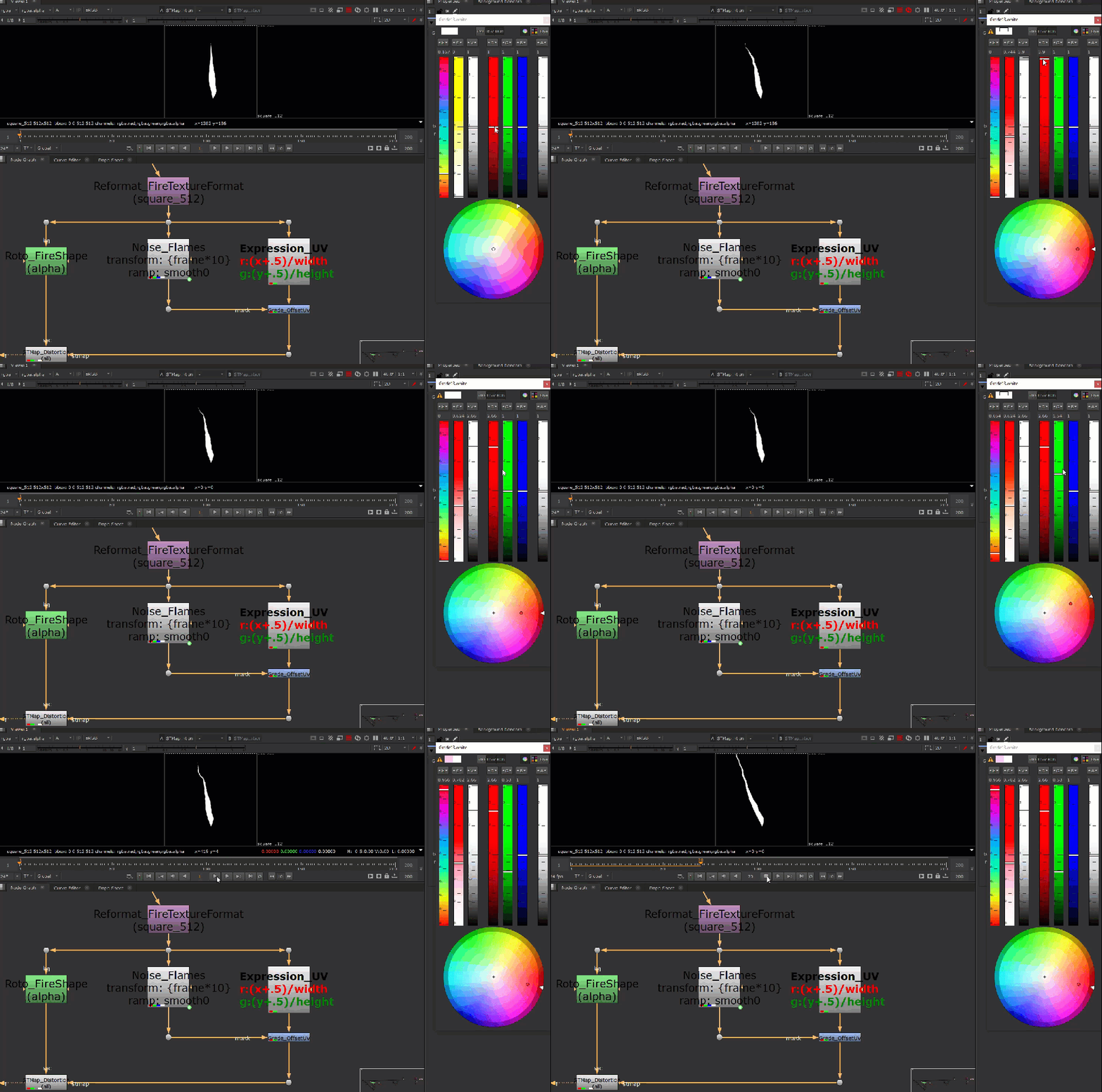
Results look extremely uninteresting so far.
Let’s go back to our noise and adjust its settings to be flame like.
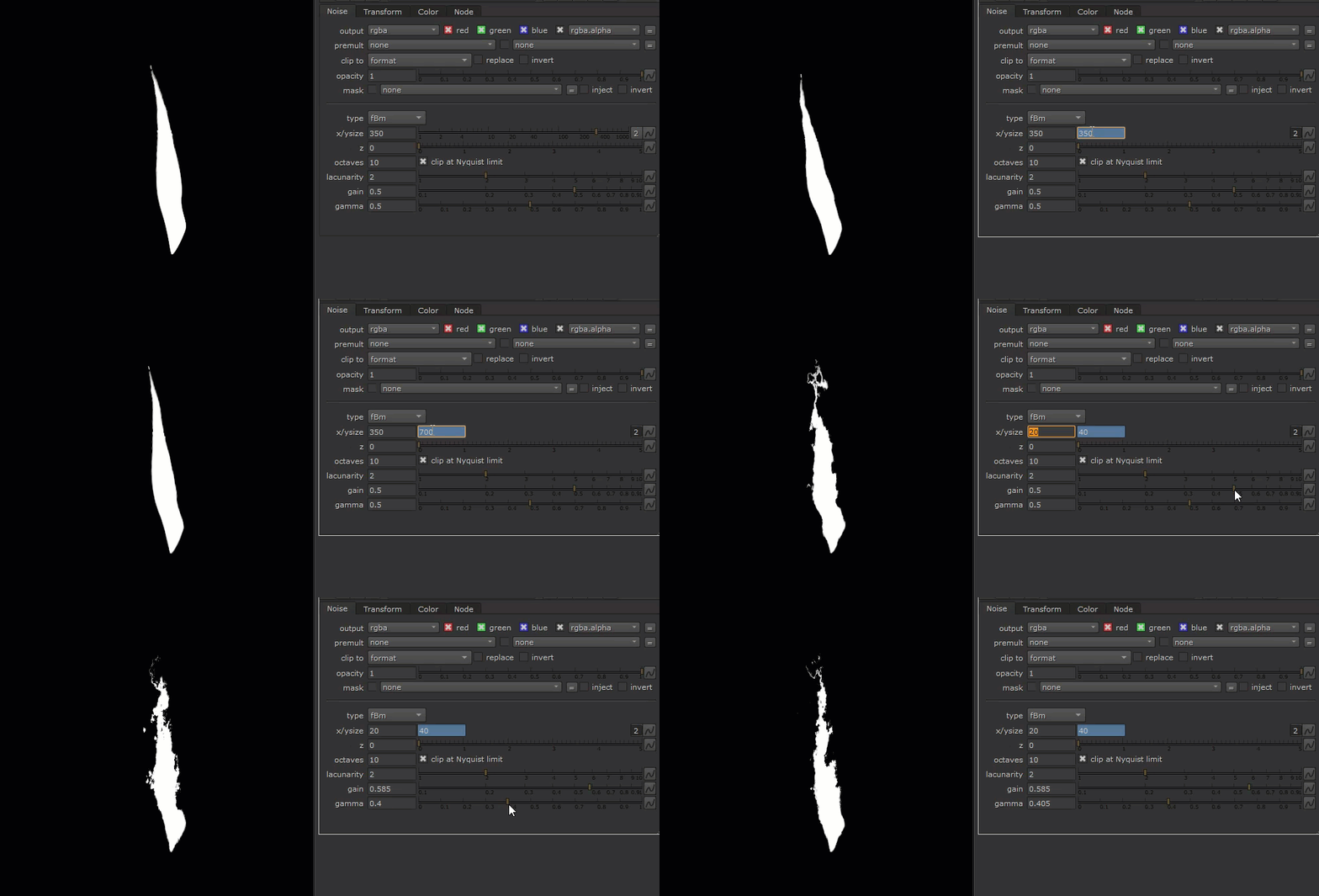
That’s because we set up the initial ramp on our noise!
And finally, let’s mask our noise with this distorted mask.
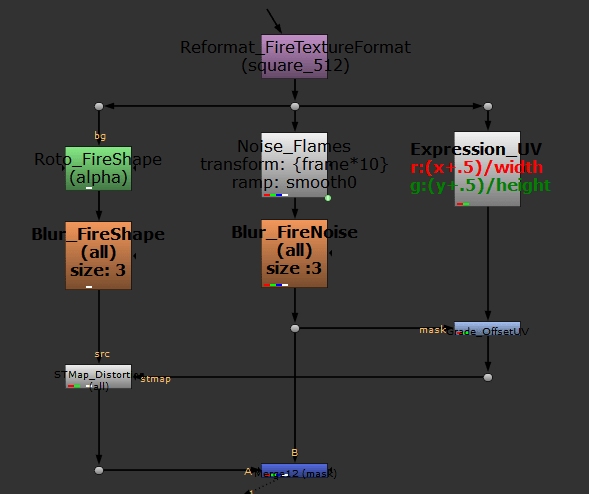
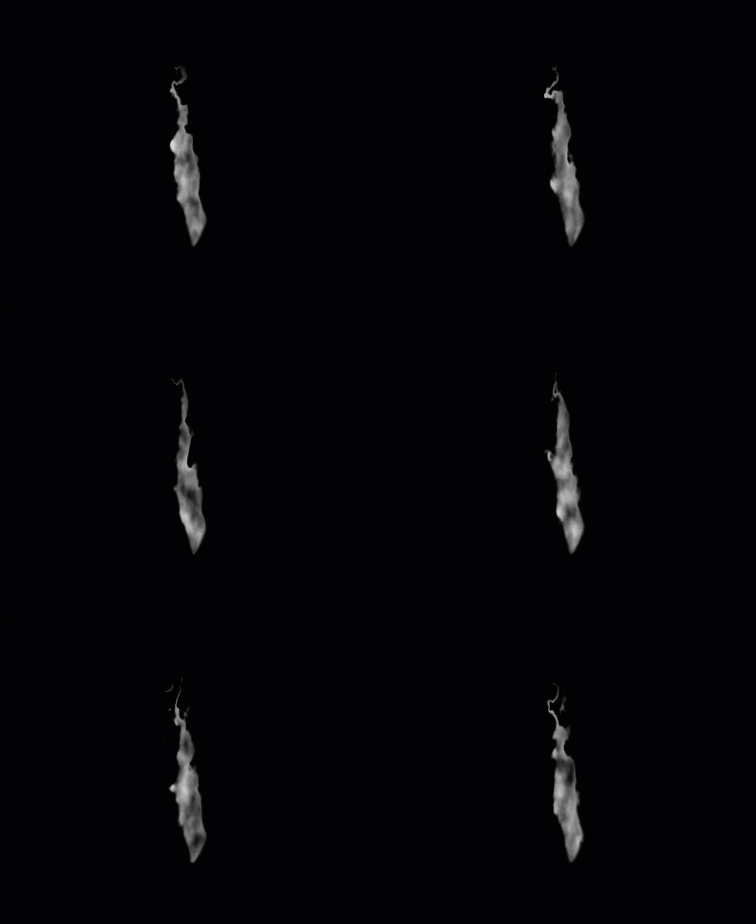
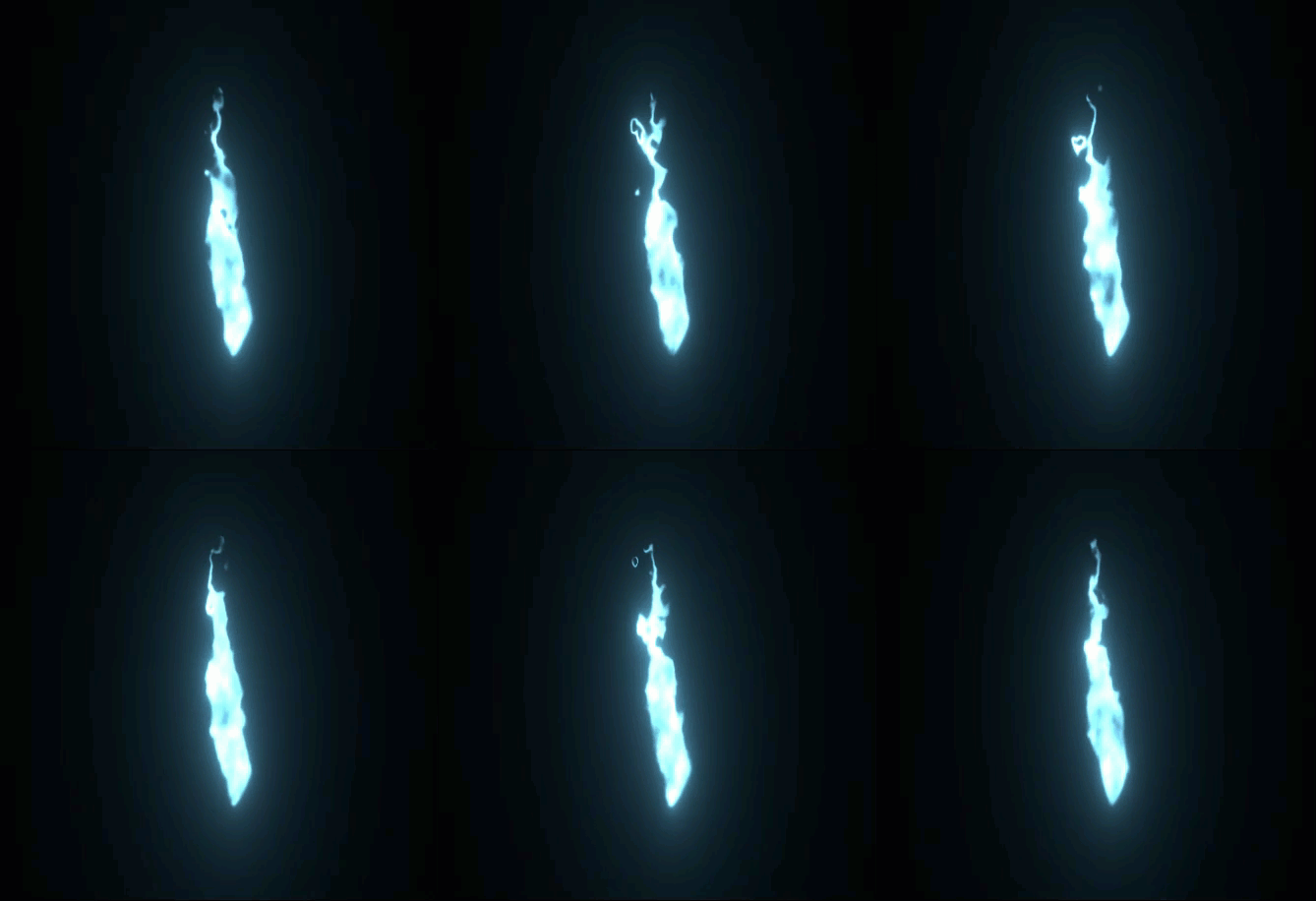
After admiring our work, let’s move on to setting up the particle system.
To have our particle system layer properly in 3D, we’ll need to create a BlendMat node, and hook it up to our flame texture.
Flames should accumulate in brightness, so that the core will be brighter than the edges. To achieve this, we set the “operation” of our BlendMat node to “plus“, and also set the “surface blend” to “modulate“.
We’re now ready to send this texture into a particle system!
Create a ParticleEmitter node, and set its “particle” input to the BlendMat node. We’ll leave the other inputs empty, by doing this, particles will be spawned at the origin by default.
Dial down the “emission rate” to 0.2, so there’re not too many flame textures being spawned.
Set the “max lifetime” to 20 ( this unit is in frames ), with a “max lifetime range” of 1.
We also want to set the “velocity” to zero to make our particles stationary after spawning.
We should now see in our 3D viewport something like this:
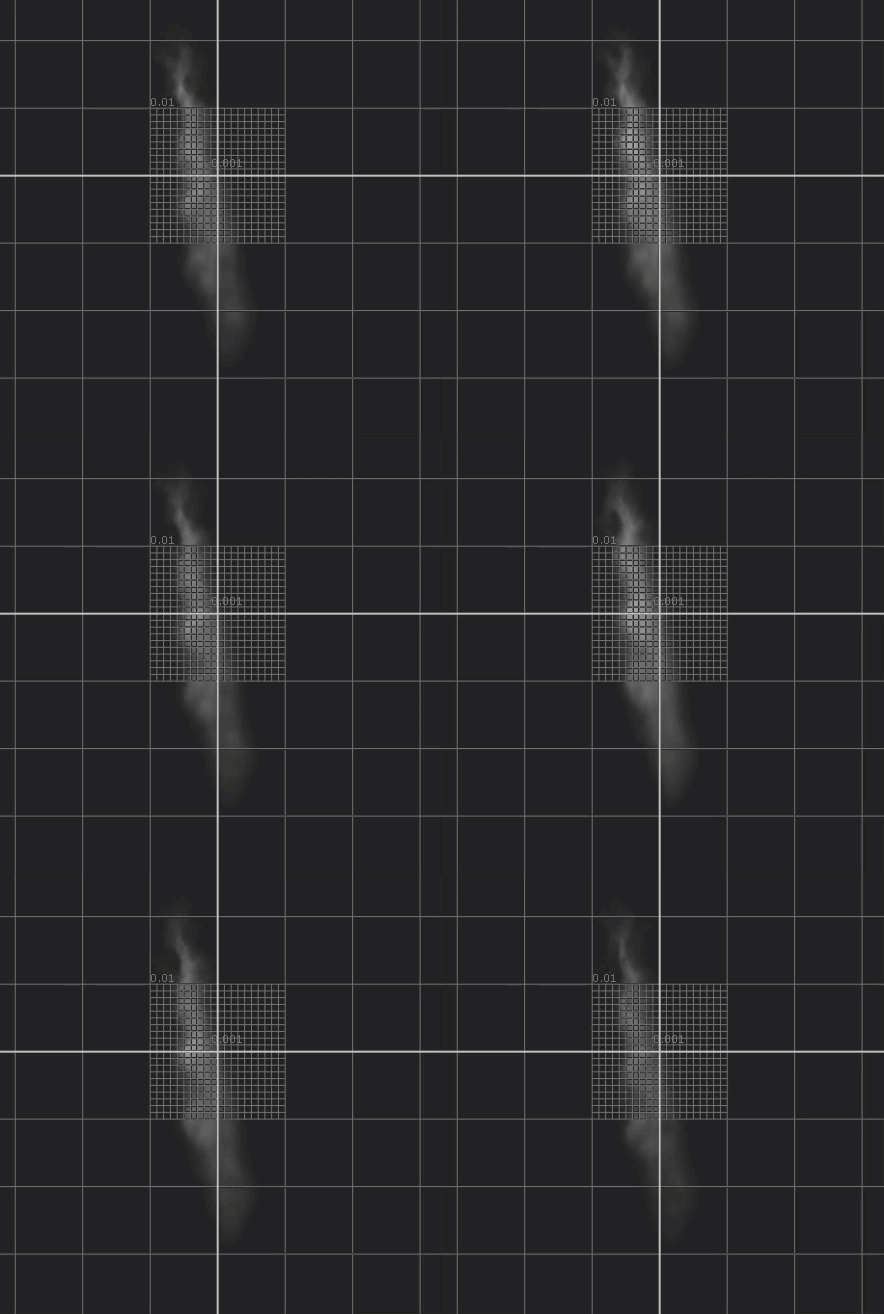
From here on, we’ll use particle expressions to control the size, color/opacity, and velocity of our particles.
Connect a ParticleExpression node to our ParticleEmitter node.
In the “size” row, let’s write the expression “age/life“. Our particles now will grow in size, starting from 0 when born, and 1 at the end of its lifetime.
In the “color” and “opacity” rows, enter the expression “1-age/life“. This will darken the color as well as reduce the opacity of our texture during each particle’s lifetime.
Next, let’s enter in the “vel” row this expression: “v(0, yVel, 0)“.
We’ve called a custom attribute named “yVel” in our velocity expression that doesn’t exist yet, so next we’ll create this attribute to control our velocity in Y, and we’ll link it to a custom knob so that we can test this value interactively as the simulation plays.
Let’s keep the yVel at 0 for now.
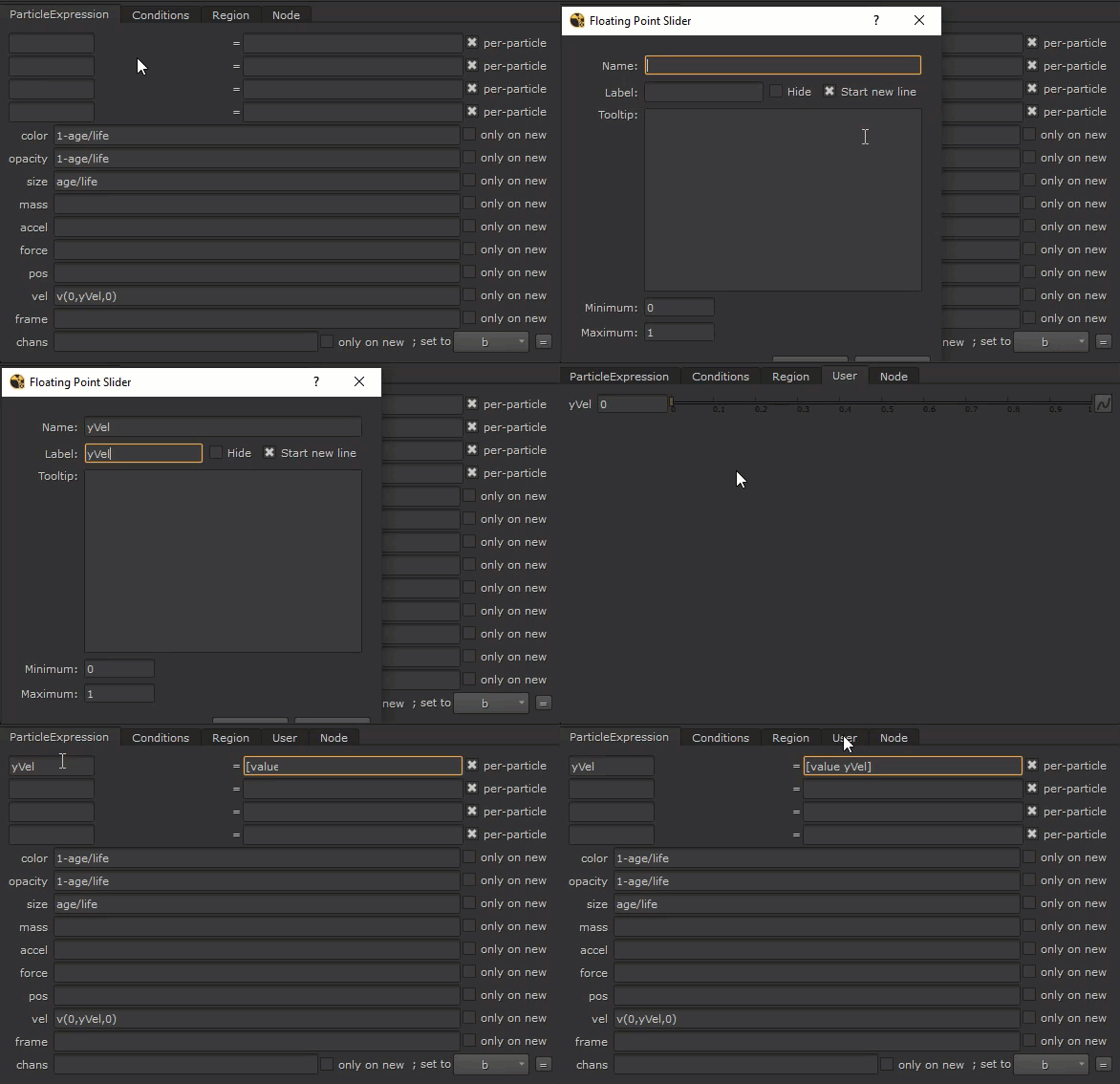
All our expressions have been set up. Let’s go into 3D view to frame up our particles and create a camera.
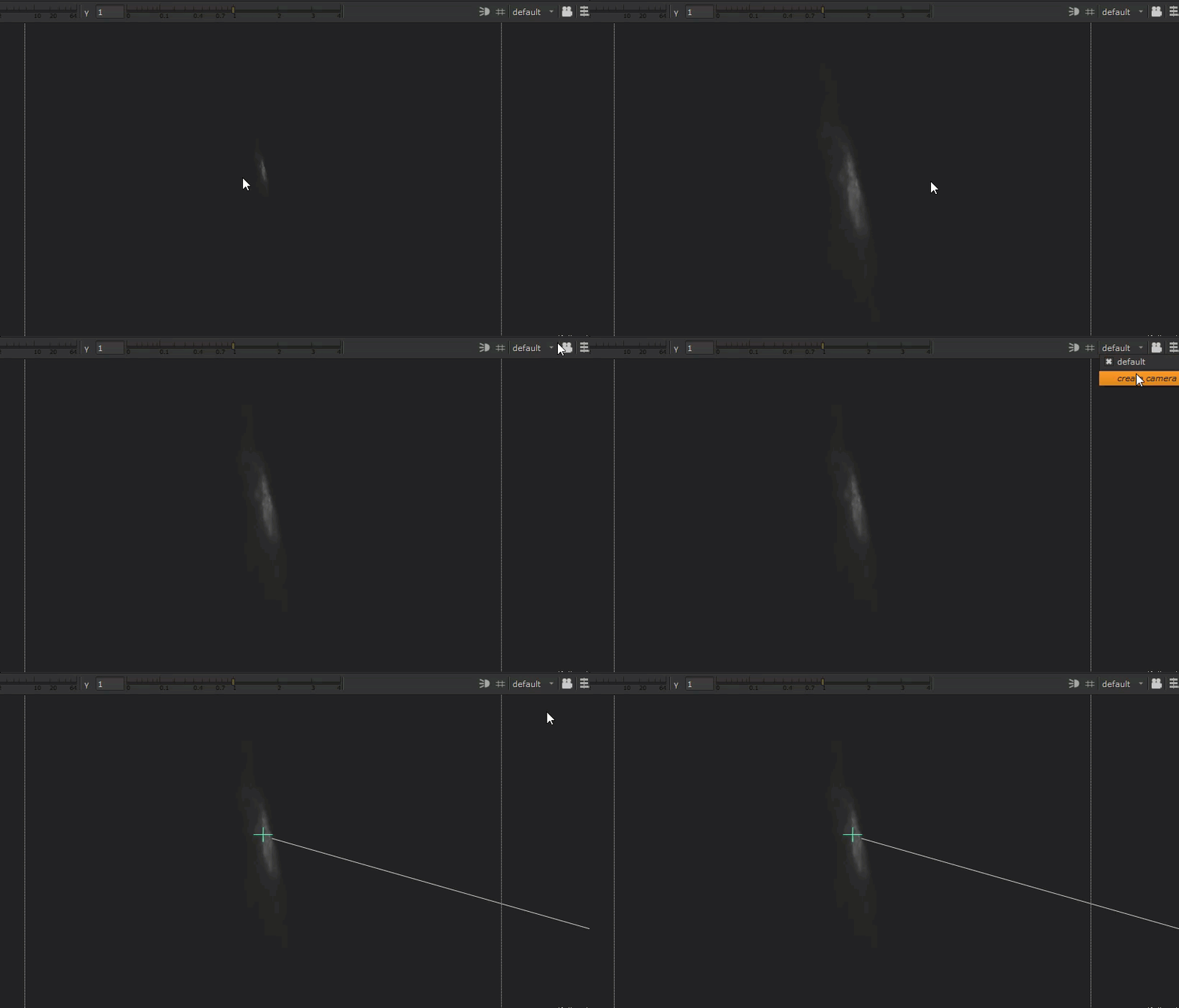
Create a ScanlineRender node and connect our camera to the “cam” input, and our particle system to the “obj/scn” input.
Let’s review the results so far:
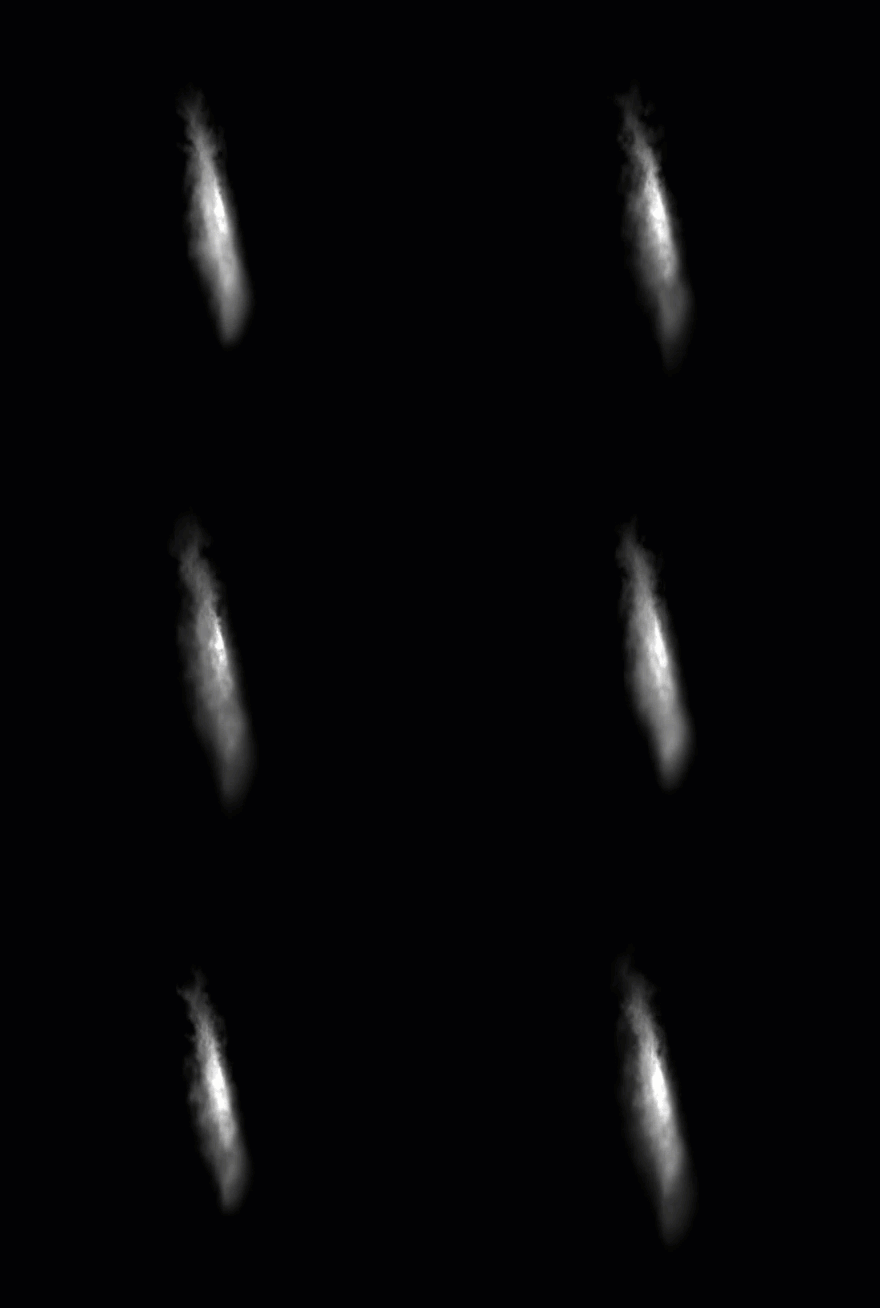
The expressions are working, we can see the opacity and size of our particles change.
But it appears that the flame is scaling from its mid point instead of its base.
Let’s improve that by inserting a Transform node before our BlendMat and adjusting the base of the texture to roughly the mid point of the screen.
Let’s also scale down our texture so it doesn’t get cropped.
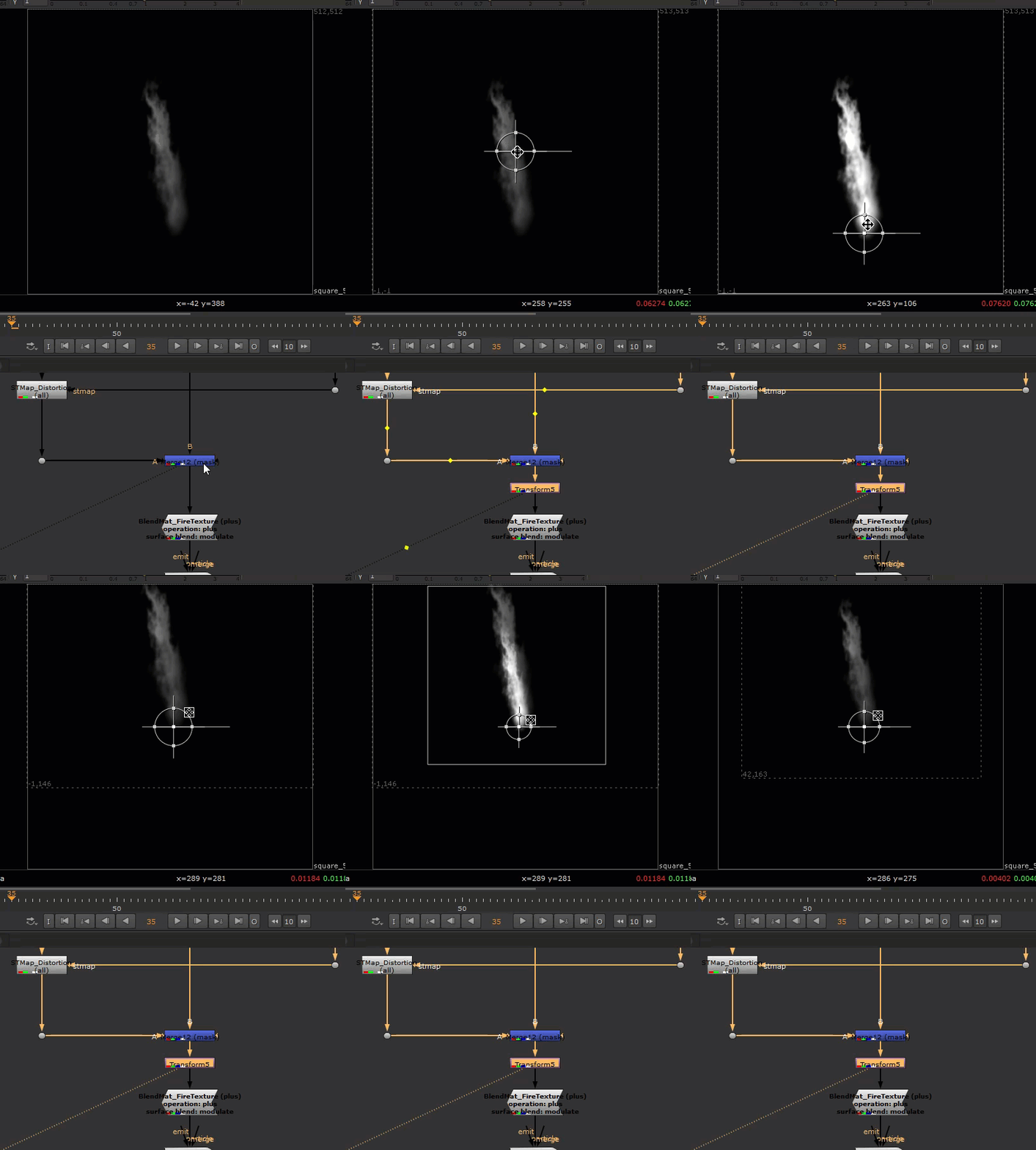
Let’s look our results again:
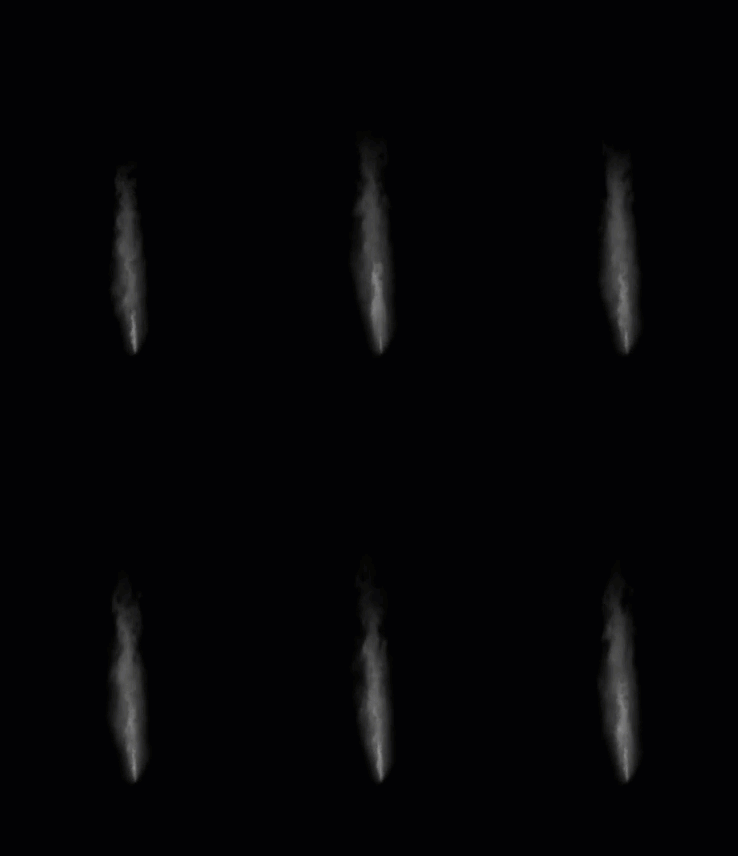
The flame texture is growing from its base now!
This is how the final node graph looks like:
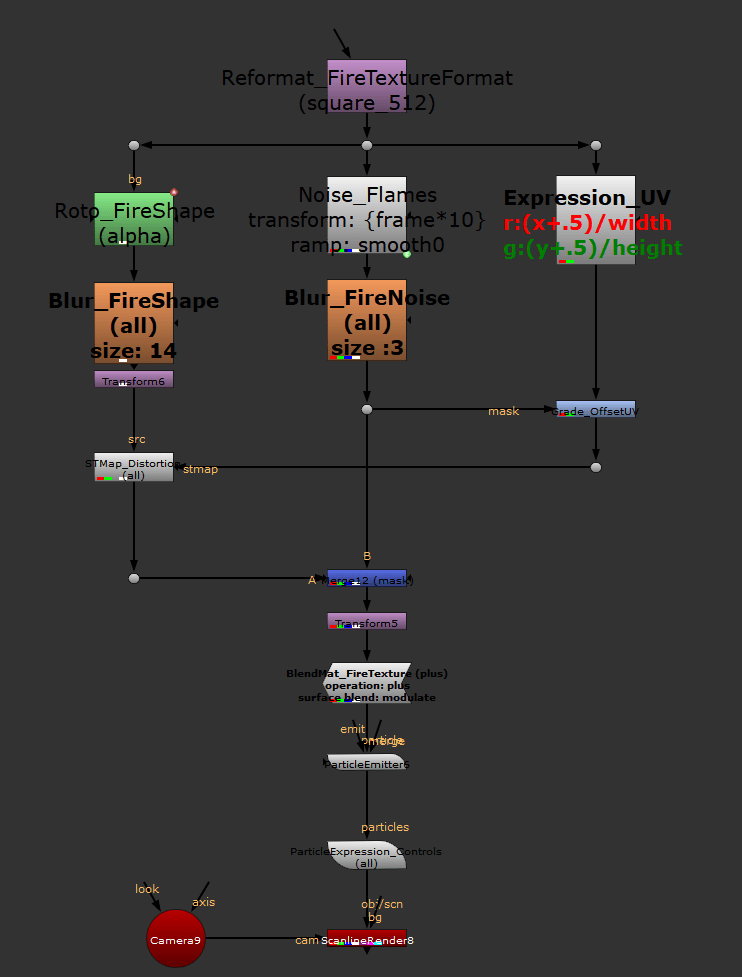
At this point, the set up is complete. What’s left is to adjust the velocity in our ParticleExpression node to get the movement that you need, and to colorize and glow the result!

Ofcourse, we can dial in different looks of our flame using the Noise node and grading our distortion UV texture.
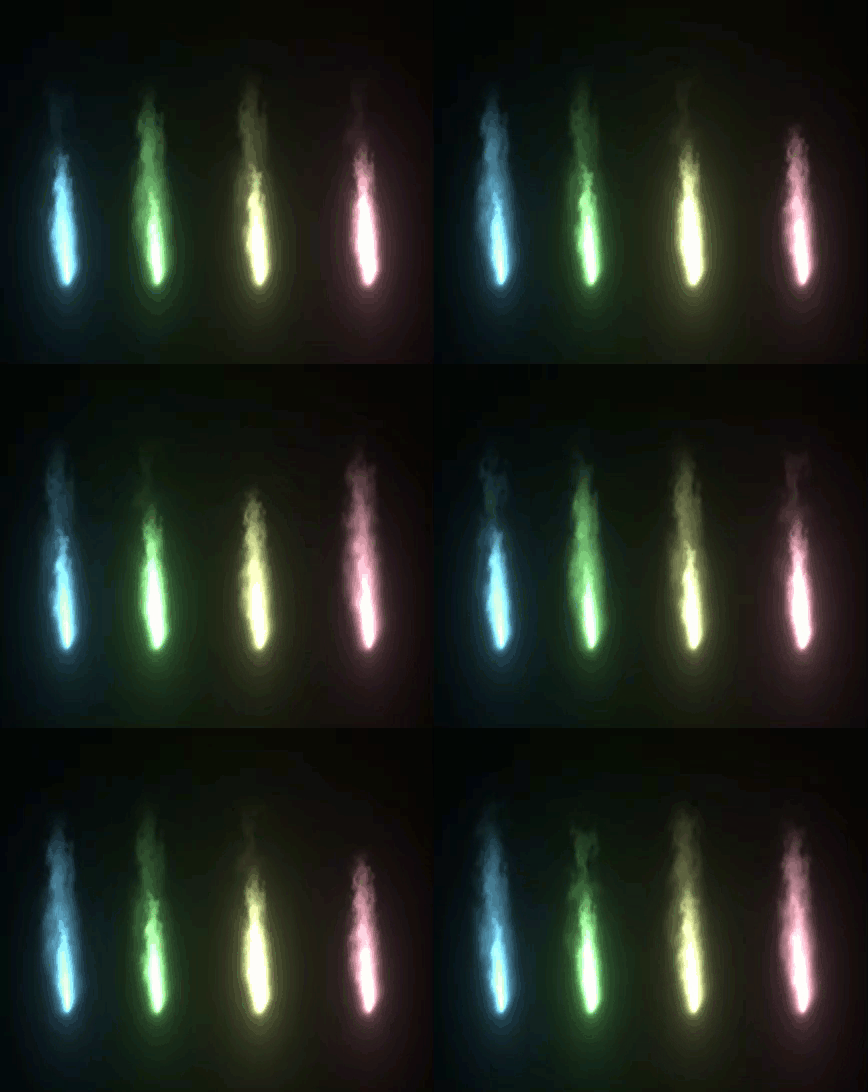
In this article, we walked through the process of creating a flame texture using noise and distortion techniques, then passing this texture into a particle system using the BlendMat node, and finally driving the behavior of our particles using particle expressions.
Thank you for reading and hopefully you’ve learned something new!
Below is the code for the node graph for reference:
set cut_paste_input [stack 0]
version 12.1 v2
Camera2 {
 inputs 0
 translate {0.09941973537 0.26399617 -1.353747129}
 rotate {-2.277986122 175.7997119 0}
 name Camera9
 selected true
 xpos 12895
 ypos 349
}
push $cut_paste_input
Reformat {
 format "512 512 0 0 512 512 1 square_512"
 name Reformat_FireTextureFormat
 note_font_size 22
 selected true
 xpos 13076
 ypos -500
}
Dot {
 name Dot24
 selected true
 xpos 13110
 ypos -420
}
set N60376c00 [stack 0]
Noise {
 size {20 {size.0*2}}
 gain 0.575
 gamma 0.85
 translate {0 {frame*10}}
 center {1024 778}
 ramp smooth0
 color {1 1 1 1}
 p1 {{curve} {height}}
 color0 {1 1 1 0}
 p0 {0 0}
 name Noise_Flames
 label "transform: \[knob translate.y]\nramp: \[value ramp]"
 note_font_size 22
 selected true
 xpos 13076
 ypos -383
}
Blur {
 size 3
 name Blur_FireNoise
 label "size :\[value size]"
 note_font "Verdana Bold"
 note_font_size 22
 selected true
 xpos 13076
 ypos -280
}
Dot {
 name Dot28
 selected true
 xpos 13110
 ypos -156
}
set N60376000 [stack 0]
push $N60376c00
Dot {
 name Dot25
 selected true
 xpos 13339
 ypos -420
}
Expression {
 expr0 (x+.5)/width
 expr1 (y+.5)/height
 name Expression_UV
 label "<font color='red'>r:\[knob expr0]\n<font color='green'>g:\[knob expr1]"
 note_font "Verdana Bold"
 note_font_size 22
 selected true
 xpos 13305
 ypos -384
}
Grade {
 inputs 1+1
 white {1.559999943 1.279999971 1 1}
 name Grade_OffsetUV
 selected true
 xpos 13305
 ypos -159
}
Dot {
 name Dot27
 selected true
 xpos 13339
 ypos -98
}
push $N60376c00
Dot {
 name Dot26
 selected true
 xpos 12877
 ypos -420
}
Roto {
 output alpha
 curves {{{v x3f99999a}
  {f 0}
  {n
   {layer Root
    {f 2097664}
    {t x44800000 x44428000 0 0 0 0 0 0 0
     {{x42860000 1}}}
    {a pt1x 0 pt1y 0 pt2x 0 pt2y 0 pt3x 0 pt3y 0 pt4x 0 pt4y 0 ptex00 0 ptex01 0 ptex02 0 ptex03 0 ptex10 0 ptex11 0 ptex12 0 ptex13 0 ptex20 0 ptex21 0 ptex22 0 ptex23 0 ptex30 0 ptex31 0 ptex32 0 ptex33 0 ptof1x 0 ptof1y 0 ptof2x 0 ptof2y 0 ptof3x 0 ptof3y 0 ptof4x 0 ptof4y 0 pterr 0 ptrefset 0 ptmot x40800000 ptref 0}
    {curvegroup Bezier1 512 bezier
     {{cc
       {f 8192}
       {px x42920000
        {{{0 -}}
	 {{x41be6110 -}}}
        {{{x437eddb4 -}}
	 {{x43bd011e -}}}
        {{{0 -}}
	 {{xc1be6120 -}}}
        {{{x409c3540 -}}
	 {{x423e6120 -}}}
        {{{x437613f5 -}}
	 {{x4384e739 -}}}
        {{{xc09c3580 -}}
	 {{xc23e6118 -}}}
        {{{xc108aed0 -}}
	 {{x41d6c960 -}}}
        {{{x437b6a6b 0 1 xc10d9998 1}}
	 {{x4328a3c9 0 1 x40fb3332 1}}}
        {{{x4108aec0 -}}
	 {{xc1d6c978 -}}}
        {{{xc01c3500 -}}
	 {{x40d6c980 -}}}
        {{{x43846b81 -}}
	 {{x42d9aeac -}}}
        {{{x401c3580 -}}
	 {{xc0d6c980 -}}}
        {{{xbfdd0c00 -}}
	 {{xc11e0900 -}}}
        {{{x438f5bac -}}
	 {{x43144e12 -}}}
        {{{x3fdd0c00 -}}
	 {{x411e0910 -}}}
        {{{xc0434280 -}}
	 {{xc1a11718 -}}}
        {{{x438c21c8 0 1 x40f7fffa 1}}
	 {{x43450f12 0 1 x4104cccd 1}}}
        {{{x40434300 -}}
	 {{x41a11718 -}}}
        {{{0 -}}
	 {{xc06a5000 -}}}
        {{{x4386c060 -}}
	 {{x438b9a7e -}}}
        {{{0 -}}
	 {{x406a5000 -}}}}}
      {cc
       {f 8192}
       {px x42920000
        {{{0 -}}
	 {{x41be6110 -}}}
        {{{xbe64c000 -}}
	 {{x4207d768 -}}}
        {{{0 -}}
	 {{xc1be6120 -}}}
        {{{x409c3540 -}}
	 {{x423e6120 -}}}
        {{{0 -}}
	 {{0 -}}}
        {{{xc09c3580 -}}
	 {{xc23e6118 -}}}
        {{{xc108aed0 -}}
	 {{x41d6c960 -}}}
        {{{0 -}}
	 {{0 -}}}
        {{{x4108aec0 -}}
	 {{xc1d6c978 -}}}
        {{{xc01c3500 -}}
	 {{x40d6c980 -}}}
        {{{0 -}}
	 {{0 -}}}
        {{{x401c3580 -}}
	 {{xc0d6c980 -}}}
        {{{xbfdd0c00 -}}
	 {{xc11e0900 -}}}
        {{{0 -}}
	 {{0 -}}}
        {{{x3fdd0c00 -}}
	 {{x411e0910 -}}}
        {{{xc0434280 -}}
	 {{xc1a11718 -}}}
        {{{0 -}}
	 {{0 -}}}
        {{{x40434300 -}}
	 {{x41a11718 -}}}
        {{{0 -}}
	 {{xc06a5000 -}}}
        {{{0 -}}
	 {{0 -}}}
        {{{0 -}}
	 {{x406a5000 -}}}}}}
     {tx x42860000 x43fedb6e x43da6db7}
     {a osw x41200000 osf 0 str 1 spx x44800000 spy x44428000 sb 1 ltn x42860000 ltm x42860000 tt x40800000}}}}}}
 toolbox {selectAll {
  { selectAll str 1 ssx 1 ssy 1 sf 1 }
  { createBezier str 1 ssx 1 ssy 1 sf 1 sb 1 tt 4 }
  { createBezierCusped str 1 ssx 1 ssy 1 sf 1 sb 1 }
  { createBSpline str 1 ssx 1 ssy 1 sf 1 sb 1 }
  { createEllipse str 1 ssx 1 ssy 1 sf 1 sb 1 }
  { createRectangle str 1 ssx 1 ssy 1 sf 1 sb 1 }
  { createRectangleCusped str 1 ssx 1 ssy 1 sf 1 sb 1 }
  { brush str 1 ssx 1 ssy 1 sf 1 sb 1 }
  { eraser src 2 str 1 ssx 1 ssy 1 sf 1 sb 1 }
  { clone src 1 str 1 ssx 1 ssy 1 sf 1 sb 1 }
  { reveal src 3 str 1 ssx 1 ssy 1 sf 1 sb 1 }
  { dodge src 1 str 1 ssx 1 ssy 1 sf 1 sb 1 }
  { burn src 1 str 1 ssx 1 ssy 1 sf 1 sb 1 }
  { blur src 1 str 1 ssx 1 ssy 1 sf 1 sb 1 }
  { sharpen src 1 str 1 ssx 1 ssy 1 sf 1 sb 1 }
  { smear src 1 str 1 ssx 1 ssy 1 sf 1 sb 1 }
} }
 toolbar_brush_hardness 0.200000003
 toolbar_source_transform_scale {1 1}
 toolbar_source_transform_center {1024 778}
 colorOverlay {0 0 0 0}
 lifetime_type "all frames"
 lifetime_start 67
 lifetime_end 67
 motionblur_shutter_offset_type centred
 source_black_outside true
 name Roto_FireShape
 note_font_size 22
 selected true
 xpos 12843
 ypos -367
}
Blur {
 size 14
 name Blur_FireShape
 label "size: \[value size]"
 note_font "Verdana Bold"
 note_font_size 22
 selected true
 xpos 12843
 ypos -277
}
Transform {
 rotate -6.596736908
 center {256 256}
 name Transform6
 selected true
 xpos 12843
 ypos -189
}
STMap {
 inputs 2
 uv rgb
 name STMap_Distortion
 selected true
 xpos 12843
 ypos -107
}
Dot {
 name Dot29
 selected true
 xpos 12877
 ypos 13
}
push $N60376000
Merge2 {
 inputs 2
 operation mask
 name Merge12
 selected true
 xpos 13076
 ypos 10
}
Transform {
 translate {0 147}
 scale {0.8299999833 0.8300000429}
 center {262 108}
 name Transform5
 selected true
 xpos 13076
 ypos 53
}
BlendMat {
 operation plus
 surfaceblend modulate
 name BlendMat_FireTexture
 label "operation: \[value operation]\nsurface blend: \[value surfaceblend]"
 note_font "Verdana Bold"
 selected true
 xpos 13076
 ypos 103
}
push 0
push 0
ParticleEmitter {
 inputs 3
 rate 0.5
 lifetime 20
 lifetime_variation 1
 velocity 0
 name ParticleEmitter6
 selected true
 xpos 13076
 ypos 194
}
ParticleExpression {
 temp_name0 yVel
 temp_expr0 "\[value yVel]"
 colexpr 1-age/life
 opacityexpr 1-age/life
 sizeexpr age/life
 velexpr v(0,yVel,0)
 name ParticleExpression_Controls
 selected true
 xpos 13076
 ypos 281
 addUserKnob {20 User}
 addUserKnob {7 yVel}
}
push 0
ScanlineRender {
 inputs 3
 conservative_shader_sampling false
 antialiasing low
 samples 0
 motion_vectors_type distance
 name ScanlineRender8
 selected true
 xpos 13076
 ypos 370
}
 input + output